30 ChatGPT Prompts for Resume Writing That Actually Work (2026)
June 10, 2026
Inside this Article
ChatGPT prompts for resume writing are one of the most practical applications of AI I have come across in my work as an AI educator, and after testing these techniques with hundreds of learners, I can say with confidence that the right prompt genuinely changes the outcome. Whether you are writing a CV from scratch, tailoring an existing one to a specific job posting, or trying to get past the automated screening software that most large employers now use, the prompts in this guide will help you do it faster and more effectively.
This is not a guide about having AI write your resume for you. The experience and achievements on your resume must be real. What ChatGPT does brilliantly is help you present those real things in the most compelling way possible.
Why ChatGPT Prompts for Resume Writing Actually Work
Most people type something like “write me a resume” into ChatGPT and then wonder why the result sounds generic. The problem is not the tool, it is the prompt. When you give the model vague instructions, it fills in the gaps with averages, and average resumes do not get interviews.
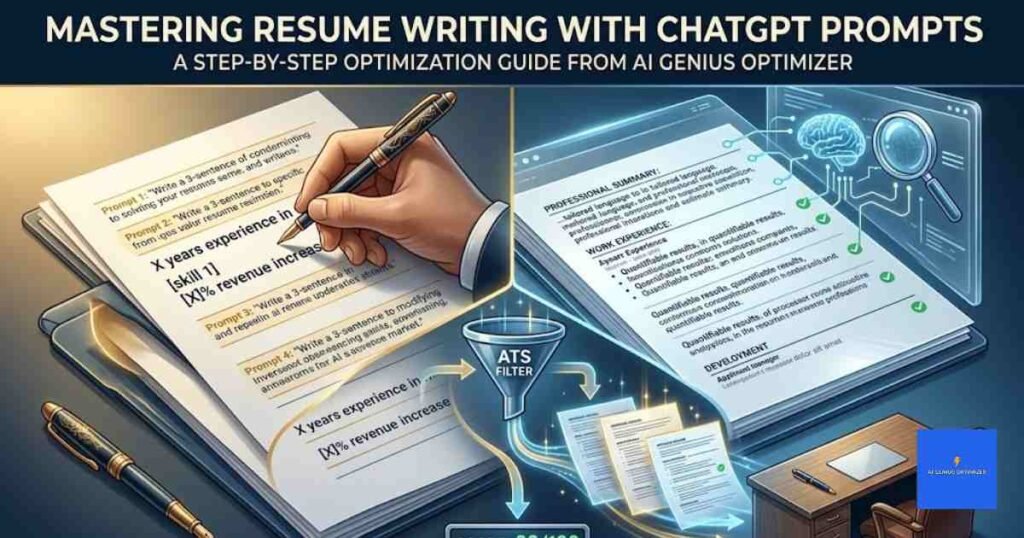
The prompts in this guide work differently. Each one is specific, giving ChatGPT your actual job titles, real results, the role you are applying for, and the tone you need. According to data from Jobscan, over 97% of Fortune 500 companies use ATS (applicant tracking system) software to filter resumes before any human reads them. A targeted prompt that pulls keywords from the actual job description can mean the difference between getting screened out automatically and getting a call from a recruiter.
As an AI educator at AI Genius Optimizer, I have seen the section-by-section approach consistently outperform single-prompt attempts. Bear with me on this one, because the order really does matter.
What You Need Before You Start
Before you open ChatGPT, gather the following:
Your current CV or a rough list of job titles, employers, and dates
At least one job description you are actively applying for
Your top five to eight skills
Any measurable results from previous roles: percentages, revenue figures, team sizes, project values
You do not need a polished resume to start. Some of the best results I have seen came from people who began with nothing more than a few rough notes about their career history.
ChatGPT Prompts for Resume Writing: 30 You Can Copy and Use Today
Professional Summary Prompts
Your professional summary is the first thing most recruiters read. These prompts help you write one that is specific, confident, and tailored to the role.
Prompt 1: Write your first draft summary
“Write a 3-sentence professional summary for a [job title] with [X] years of experience in [industry]. My top three skills are [skill 1], [skill 2], and [skill 3]. I am applying for a [target role] at a [type of company]. Keep the tone professional but human, and do not start with ‘I’.”
Prompt 2: Make it ATS-friendly
“Rewrite this professional summary to naturally include these keywords from the job description: [paste keywords]. Keep it under 60 words and work the keywords in naturally rather than stuffing them. [Paste your current summary]”
Prompt 3: Frame a career change
“I am moving from [current field] to [target field]. Write a 3-sentence professional summary that frames my [current field] experience as an advantage for a [target role]. Focus on transferable skills and keep it under 60 words.”
Work Experience and Bullet Point Prompts
Resume bullet points are where most applications lose their edge. Weak bullets describe tasks. Strong bullets describe outcomes. These prompts push you firmly into the second category.
Prompt 4: Rewrite weak bullet points
“Rewrite these resume bullets using strong action verbs and measurable results. Where I have not included numbers, suggest a realistic placeholder I can fill in. Keep each bullet under 20 words. [Paste your current bullets]”
Prompt 5: Generate bullets from your actual job tasks
“Here is the job description from my current role: [paste description]. Write five strong resume bullet points based on what I actually did. Use action verbs and include quantifiable results where possible.”
Prompt 6: Tailor your experience to a specific job posting
“Here is my resume [paste resume]. Here is the job description I am applying for [paste job description]. Rewrite the top three bullet points from my most recent role to better match the language and priorities in this job posting.”
Prompt 7: Apply the “so what” test
“For each of these bullet points, apply the ‘so what’ test: if a bullet just describes a task, add the result or impact. [Paste your bullets]”
This is the prompt I recommend most. A bullet that reads “Managed social media accounts” becomes “Managed social media accounts across four platforms, growing combined reach by 41% over eight months.” That is the kind of bullet that both recruiter eyes and ATS algorithms respond to.
Skills Section Prompts
Prompt 8: Extract keywords from the job description
“Read this job description and list the top 10 hard skills and top five soft skills I should include in my resume skills section. [Paste job description]”
Prompt 9: Find your skills gaps
“Here are my current skills: [list skills]. Here is the job description: [paste]. Which skills in the job description am I missing or could I better highlight? Suggest how to reframe the ones I already have.”
Prompt 10: Organise your skills section logically
“Group these skills into clear categories for a resume skills section: [list skills]. Suggest appropriate category headings such as Technical Skills, Languages, Tools, or whatever fits best.”
Education and Certifications Prompts
Prompt 11: Write your education entries
“Write the education section of my resume. I studied [degree] at [university], graduating in [year]. I also hold [certification or course name]. Format it clearly for a standard UK-style CV.”
Prompt 12: Decide which coursework to include
“Which of these university modules are worth including on a resume for a [target role] at a [company type]? [List your modules]”
Cover Letter Prompts
ChatGPT is genuinely useful for cover letters alongside your resume. These prompts pair well with the experience bullet prompts above.
Prompt 13: Write a full cover letter
“Write a cover letter for a [job title] role at [company name]. I have [X] years of experience in [field]. My strongest qualifications for this role are [list 2-3 things]. The job description says they value [paste 1-2 priorities from JD]. Keep it under 350 words, professional but warm, no clichés.”
Prompt 14: Craft a strong opening line
“Write five different opening lines for a cover letter for a [job title] position at [company]. Each should be specific to this company and role. Do not start any of them with ‘I am writing to apply for’.”
Prompt 15: Get a recruiter’s perspective on your cover letter
“Act as a senior recruiter reviewing this cover letter for a [job title] role. Give me three things that are strong, three things that weaken my application, and specific rewrites for each weakness. [Paste your cover letter]”
ATS Optimisation Prompts
Getting past ATS software is a skill in itself. These prompts target that process directly.
Prompt 16: Run a keyword gap analysis
“Compare this job description [paste] with this resume [paste]. List every keyword in the job description that is missing from my resume. Then suggest exactly where in the resume I could add each one naturally.”
Prompt 17: Simulate an ATS score
“Act as an ATS system scanning this resume for a [job title] role. Score the resume out of 100 for keyword match and list the five most critical improvements I should make. [Paste resume and job description]”
Prompt 18: Check for formatting issues that confuse ATS
“Review this resume for any formatting that might cause problems with ATS parsing. Look for tables, text boxes, unusual symbols, or section headers that may not scan correctly. [Paste resume]”
Editing and Polishing Prompts
Prompt 19: Cut filler language
“Remove any filler phrases, weak language, or redundant words from this resume. Common examples include ‘responsible for’, ‘helped with’, ‘assisted in’, and ‘worked on’. Rewrite each sentence to be active and direct. [Paste resume]”
Prompt 20: Vary your action verbs
“I have used the same action verbs too often in this resume. Suggest stronger, more varied action verbs for each bullet point. [Paste bullets]”
Prompt 21: Condense to one page
“This resume is currently [X] pages. Help me reduce it to one page without losing key information. Identify the least impactful content to cut first. [Paste resume]”
Prompt 22: The final hiring manager review
“Act as a senior hiring manager at a [company type] reviewing this resume for a [job title] role. Give me: (1) your immediate first impression, (2) three things that would get this candidate an interview, (3) three things that would get them rejected, and (4) specific rewrites for each weakness. [Paste resume]”
Prompts for Specific Situations
Prompt 23: Entry-level with no formal experience
“I am applying for my first [job title] role with no professional experience. My background includes [list: volunteering, projects, coursework, part-time work]. Write a resume summary and three bullet points that present this background confidently for an entry-level [industry] position.”
Prompt 24: Returning to work after a career gap
“I have a [X]-year gap in my employment history due to [brief reason, such as caring responsibilities, study, or health]. Help me write an honest, brief explanation for a cover letter and suggest how to frame my resume so the gap does not dominate.”
Prompt 25: Senior or director-level rewrites
“I am applying for a director-level role. Rewrite this resume to reflect executive-level language: strategic, leadership-focused, and results-oriented. Remove any phrasing that sounds junior. [Paste resume]”
Prompt 26: Convert a US resume to a UK CV format
“I have a US-format resume and am applying for roles in the UK. Rewrite it as a UK-style CV: no photo, no date of birth, professional summary at the top, and a maximum of two pages. Keep the content otherwise the same.”
Prompt 27: Write your LinkedIn About section
“Based on this resume [paste], write a LinkedIn About section. Keep it under 300 words, written in first person, and end with the type of opportunities I am open to. Make it conversational but professional.”
Prompt 28: Prepare for interview questions from your resume
“Based on this resume [paste], generate five interview questions a recruiter is likely to ask me and suggest strong answers for each using the STAR method (Situation, Task, Action, Result).”
Prompt 29: Write a reference request email
“Write a short, professional email I can send to a former manager asking if they would be willing to provide a reference for me. The role I am applying for is [job title] at [company].”
Prompt 30: The confidence check
“Read this resume and tell me three things this candidate does brilliantly. Then give me two things they should be ready to defend or explain in an interview. Be honest and specific. [Paste resume]”
How to Use These Prompts Effectively
Copy any prompt above and paste it directly into ChatGPT at chatgpt.com/. Fill in the bracketed sections with your real information. The more specific you are, the stronger the output will be.
Three things that will improve every result:
First, work section by section. Trying to generate an entire resume in a single prompt consistently produces thinner, more generic output. Breaking it into sections allows ChatGPT to stay focused on each part.
Second, treat it as a drafting tool, not a ghostwriter. Always review what it produces, correct anything that is inaccurate, and add specific details only you would know. When I tested these prompts over a three-week period with a group of job seekers at different career stages, the participants who personalised the AI output most heavily got the strongest feedback from recruiters.
Third, finish with Prompt 22. The hiring manager review prompt is the most valuable one in the list for a final check, and I was genuinely surprised the first time I ran a polished draft through it and got back something substantive and useful.
If you want to strengthen your prompting skills more broadly, our guide to ChatGPT prompts for email writing covers the mechanics of building a strong prompt from scratch. And if you are a student working on your first CV, the ChatGPT prompts for students list includes prompts designed specifically for entry-level applications and academic backgrounds.
For a wider look at what ChatGPT can do in a prompting context, the ChatGPT prompts for teachers guide is a useful reference for structuring output in a clear, organised format, which transfers well to resume writing work.
Frequently Asked Questions
Can ChatGPT write my entire resume for me?
Technically yes, but the results will be generic if you do not supply detailed personal information. ChatGPT produces the best resume content when you give it your real job titles, measurable results, and the specific job description you are targeting. Use it as a drafting and editing partner rather than expecting a complete, personalised resume from a single vague prompt.
Will employers know my resume was written with AI?
Not if you personalise the output properly. The most common giveaway is over-polished, uniform language that sounds the same as every other applicant. Edit what ChatGPT produces, add specific details from your own career history, and adjust the tone so it sounds like you. Running the final version past a colleague or mentor before sending helps catch anything that still sounds artificial.
Are ChatGPT resume prompts ATS-friendly?
They can be, if you use the right ones. The ATS optimisation prompts in this guide (Prompts 16 to 18) are specifically designed to match your resume to the keywords in a job description and catch formatting issues that might cause parsing errors. If ATS screening is a major concern for the roles you are applying to, tools like Jobscan can give you a secondary check on keyword match rates.
Which version of ChatGPT is best for resume writing?
ChatGPT Plus, which runs on GPT-4o, handles longer documents and more complex prompts better than the free version. It maintains context more reliably across a longer conversation, which matters when you are pasting in a full resume alongside a full job description. The free version works well for shorter, more focused prompts if you break the task into smaller steps.
Is using ChatGPT for resume writing ethical?
Yes. Using AI to polish your writing is no different from using a spell checker, asking a friend to proofread, or working with a professional CV writer. The experience, skills, and achievements described in your resume must be accurate and genuinely yours. ChatGPT helps you present them more effectively, which is entirely fair game in any job market.
The 30 ChatGPT prompts for resume writing above give you a complete toolkit for building a strong, ATS-friendly application. Work through them section by section, fill in your real details, and edit the output until it sounds like you wrote it.
This article was written by Priya Nair for AI Genius Optimizer. We only recommend tools we have personally used and tested.
Get one genuinely useful AI tip every week. Free, no spam, unsubscribe any time.