

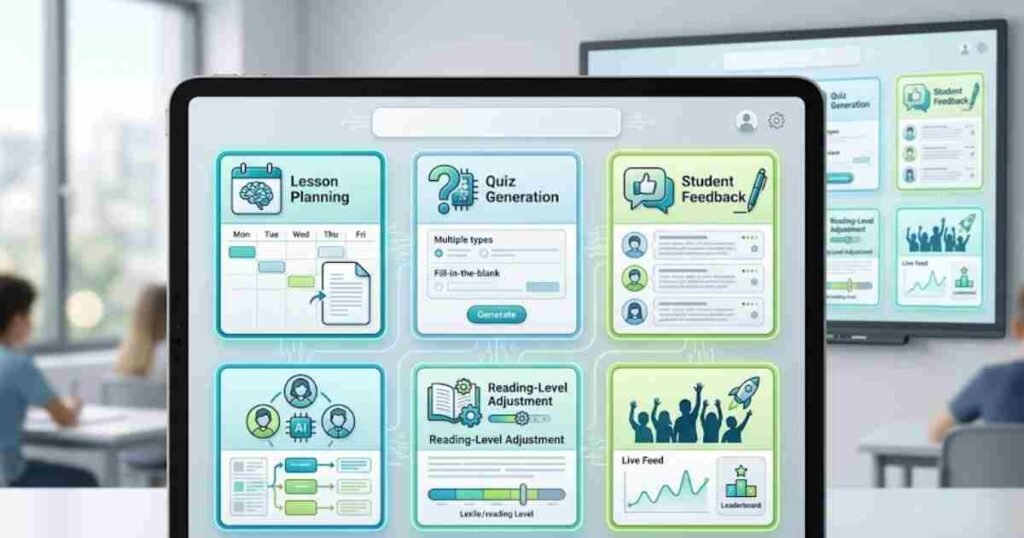
The best AI tools for teachers free in 2026 are not all equal, and after spending several weeks testing six platforms across lesson planning, student feedback, and differentiation tasks, I can tell you that the gap between the genuinely useful ones and the overhyped ones is considerable. Some save a meaningful amount of time every single week. Others sound impressive in a product demo but fall apart the moment you try to build a real lesson with them. As an AI tools specialist at AI Genius Optimizer, I have reviewed over two hundred productivity and education platforms, and every tool on this list earned its place through honest use, not marketing copy.
A quick note on what “free” actually means in this context: several platforms advertise free access but cap it at five uses per week, which is not realistic for daily classroom work. Each tool below offers a genuinely usable free tier, verified as of June 2026.
What to Look For in Free AI Tools for Teachers
Before examining individual platforms, it helps to define what actually matters in practice. Beyond price, four things determine whether a free AI tool is worth adding to your workflow.
Lesson planning speed: can you go from a curriculum standard to a finished lesson outline in under five minutes? Student differentiation: can the tool adapt content for different reading levels without manual reformatting? Workflow integration: does it work inside Google Classroom, Google Docs, or Slides? Data privacy compliance: is the platform FERPA and COPPA compliant?
That last point is non-negotiable for K-12 use. A tool that does not meet district data privacy requirements cannot be used with students, regardless of how good its features are.
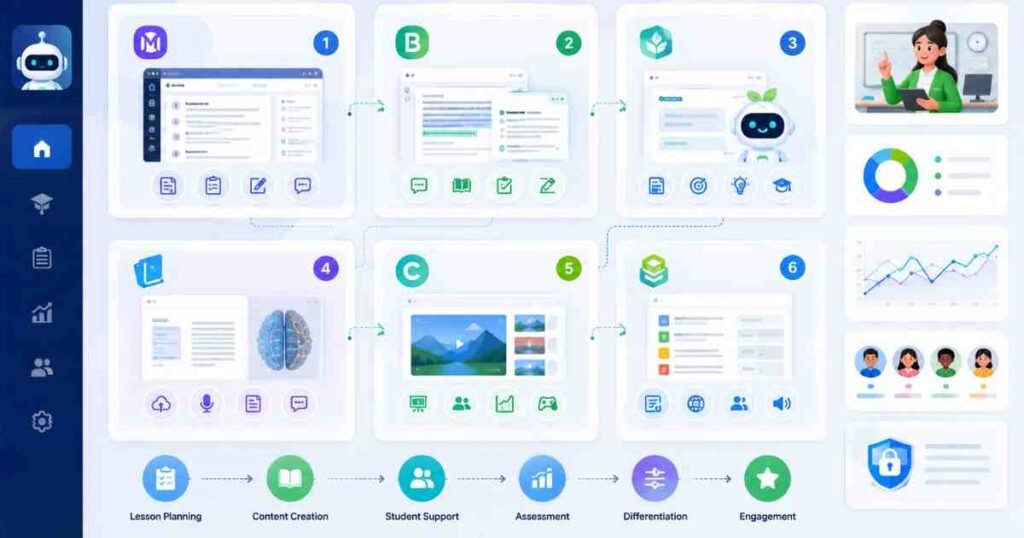
The 6 Best Free AI Tools for Teachers in 2026
1. MagicSchool AI
MagicSchool AI is the most feature-rich free platform on this list. It offers over 80 AI tools for teachers, covering lesson planning, differentiation, rubric creation, quiz generation, parent communication drafts, and IEP support. For students, there are 50 or more tools including writing feedback and tutoring assistants.
What It Does Well
I spent three weeks using MagicSchool for daily lesson planning tasks and was genuinely impressed by how quickly it produced differentiated versions of the same content. The rubric builder alone saves around 20 to 30 minutes per assessment. Across a full term, that adds up to a significant amount of recovered time.
Privacy and Compliance
The platform is FERPA and COPPA compliant, which matters enormously in a K-12 setting. Most district IT teams will require this before approving any tool for classroom use. MagicSchool clears that bar comfortably.
Pricing (verified June 2026)
Free plan available with standard usage limits. Plus plan at $8.33 per month billed annually, or $12.99 per month billed monthly. School and district plans at custom pricing. Verify current rates at magicschool.ai/pricing before committing.
Best for: Teachers who want a single platform covering the full range of classroom admin and instruction tasks.
Key free features: 80+ lesson planning and assessment tools, rubric and quiz generators, parent email drafting, student writing feedback, FERPA and COPPA compliance.
2. Brisk Teaching
Brisk Teaching works as a Chrome or Edge browser extension, and that is both its biggest strength and its defining characteristic. It lives inside Google Docs, Google Slides, Google Forms, and online articles, so you are never switching tabs or copying content between tools. Select a student’s writing inside Google Docs, click Brisk, and it surfaces targeted, standards-aligned feedback that you can edit or approve before sharing.
How It Fits Into Your Workflow
The free Forever plan includes over 20 tools, which covers the most time-critical tasks for most teachers. If you already spend your day inside Google Workspace, this is the most practical option on this list. There is genuinely no faster way to get AI-assisted feedback into the tools you are already using.
The Writing Process Review Feature
One feature worth highlighting: the writing process review shows you a video of how your student built their draft, from first word to final sentence. No other tool on this list offers anything like it, and it changes how you approach feedback conversations with students entirely.
Pricing (verified June 2026)
Free Forever plan with 20+ tools. Premium plan available with expanded features. Check briskteaching.com/plans for current pricing, as premium tiers are updated periodically.
Best for: Teachers who live inside Google Workspace and want AI tools that appear exactly where they already work.
Key free features: Feedback inside Google Docs, reading level adjustment, quiz maker that exports to Google Forms, translation for multilingual learners, writing process review.
3. Khanmigo (Khan Academy)
Khanmigo is now free for verified teachers, following a Microsoft and Khan Academy partnership. You register through Khan Academy’s website, verify your educator status, and gain access to over 20 AI-powered features organised into five categories: Plan, Create, Differentiate, Support, and Learn.
Getting Started
Bear with me on the verification step, because it takes about five minutes to complete and some teachers abandon the tool at this stage. Once you are through it, access is unlimited. The lesson planning templates are clear and beginner-friendly, and the differentiation support works well for mixed-ability classrooms.
Integration With Khan Academy Resources
Because Khanmigo sits inside Khan Academy’s existing platform, it connects naturally to Khan Academy’s exercise library and video content. If your students are already using Khan Academy for independent practice, this integration makes Khanmigo considerably more useful than it would be as a standalone tool.
Pricing (verified June 2026)
Free for verified teachers at khanmigo.ai. Verify current teacher eligibility directly on the site before registering, as access terms may have been updated. $4 per month for parents and independent learners.
Best for: Teachers already working within or alongside Khan Academy’s curriculum resources.
Key free features: Lesson planning, quiz creation, differentiation tools, student tutoring mode, curriculum alignment with Khan Academy’s library.
4. Google NotebookLM
NotebookLM is the most underused free AI tool in education right now. You upload your own source materials (PDFs, Google Docs, YouTube links, web pages), and it creates summaries, study guides, quizzes, and interactive audio discussions grounded entirely in that content. It does not pull from outside your sources, which makes it considerably more reliable for classroom use than general-purpose AI tools.
Real Classroom Testing
I tested NotebookLM with a set of science revision notes and it produced a clear study guide and a 10-question quiz in under two minutes. The Audio Overview feature generates a podcast-style discussion of your materials that students can listen to rather than read. That kind of output used to take hours to produce manually.
A Note on the Free Tier
NotebookLM offers a free standard tier at notebooklm.google.com. Google has also introduced a paid NotebookLM Plus tier with expanded features. Verify current free tier limits at notebooklm.google.com before relying on it for high-volume classroom use, as access terms have evolved since the platform launched.
Best for: Teachers who want to turn existing materials into interactive learning resources without reformatting anything manually.
Key free features: Summaries, quizzes, flashcards, and study guides from your own uploaded sources. Audio Overview (AI-narrated podcast from your materials). All outputs grounded in your sources only, with no AI drift beyond the content you provide.
5. Curipod
Curipod generates standards-aligned interactive lessons with built-in student engagement activities: polls, word clouds, drawings, and open-ended responses with AI feedback. The platform serves over 12 million students worldwide.
Anonymous Participation
The anonymous participation feature is worth calling out specifically. Student names remain hidden from peers but visible to the teacher, which creates a noticeably safer environment for shy or anxious students to contribute. In practice, this tends to produce more honest responses than named participation, particularly on open-ended questions.
A Note on the Performance Data
Curipod’s website cites test score improvements of 22% to 46% on state assessments. These figures come from school-reported data published by Curipod itself, not from independent research. Treat them as illustrative rather than verified. The engagement features are genuinely strong regardless of the headline numbers.
Pricing (verified June 2026)
Free tier available with a usable set of engagement tools and three test-prep lessons. Detailed class reports and individual student summaries require the school plan. School and district pricing is custom. Contact sales at curipod.com/pricing.
Best for: Teachers who want live student engagement built into their lessons from the start.
Key free features: Lesson generation from a topic or standard in under 30 seconds, polls, word clouds, drawings, open-ended questions, AI feedback on student writing, anonymous participation.
6. Diffit
Diffit does one thing and does it exceptionally well. It takes any article, PDF, or YouTube video and rewrites it at a different reading level, complete with vocabulary lists and comprehension questions. The differentiation is nearly instant.
Why the Specialist Focus Matters
This is one of the few tools in this space built specifically around differentiated instruction rather than general productivity. That focus shows in the output quality: the reading-level adjustments are more accurate and the vocabulary selections are more contextually appropriate than what you would get from asking a general-purpose AI tool to do the same task. I have been recommending Diffit to every teacher who mentions differentiation as their biggest weekly time drain, and the feedback has been consistently positive.
Pricing (verified June 2026)
Free Basic tier available at diffit.me. Note that the platform was previously accessible at beta.diffit.me during its testing phase. If you encounter a broken link, go directly to diffit.me for the current version. Paid school plans are available with expanded features.
Best for: Teachers who regularly need to adapt reading materials for students at different levels or in language-support programmes.
Key free features: Instant reading level adjustment, automatic vocabulary lists and comprehension questions, works with articles, PDFs, and YouTube videos, translation support for multilingual learners.
Quick Comparison Table
| Tool | Free Tier | Best For | Standout Feature |
|---|---|---|---|
| MagicSchool AI | Yes (usage limits apply) | All-in-one classroom AI | 80+ teacher tools |
| Brisk Teaching | Yes (20+ tools) | Google Workspace users | Works inside Google Docs |
| Khanmigo | Yes (verified educators) | Curriculum-aligned planning | Free with teacher verification |
| NotebookLM | Yes (standard tier) | Turning materials into resources | Source-grounded outputs |
| Curipod | Yes (limited) | Live student engagement | Anonymous participation |
| Diffit | Yes (basic) | Reading differentiation | Instant level adjustment |
Which Best Free AI Tool for Teachers Should You Choose?

If you want one tool that covers the widest range of classroom tasks, start with MagicSchool AI. It has the deepest feature set of any free platform in this space and meets the FERPA and COPPA compliance requirements that most district IT teams will ask for.
If you spend most of your day in Google Workspace, Brisk Teaching is the more practical choice. It works inside the tools you already use, which removes the biggest barrier to actually adopting a new platform. You can read more about how AI writing tools support student work in our guide to the best free AI writing tools for students, which covers related tools from a learner’s perspective.
For differentiation specifically, Diffit is the specialist and the strongest performer in that narrow task. NotebookLM is worth adding to any setup because its sourcing model makes it uniquely reliable, and the standard tier remains free.
For teachers new to AI tools, our guide on how to use Gemini AI for free is a practical starting point for understanding how general-purpose AI assistants work alongside specialist education tools. For longer-form tasks such as scheme of work planning and detailed written feedback, Claude AI is worth exploring separately.
Start with one tool. Use it consistently for two weeks. Then decide whether a second tool fills a specific gap. Adding too many platforms at once tends to mean none of them get used properly, and that initial overwhelm is the most common reason teachers abandon AI tools before seeing any real benefit.
A Note on the Limitations of AI Tools in the Classroom
No AI tool replaces teacher judgement, and none of them should. Every output from the platforms above requires review before it reaches students. Reading level adjustments can miss nuance. Quiz questions can be factually off. Parent communication drafts need a human voice added before sending.
Used well, these tools remove the administrative weight that eats into planning and marking time. Used poorly, they create a false sense of efficiency while quietly introducing errors. The best approach is to treat AI output as a strong first draft, not a finished product.
Frequently Asked Questions About the Best AI Tools for Teachers Free
What is the best free AI tool for lesson planning?
MagicSchool AI is the strongest option for lesson planning on a free plan, offering over 80 tools including lesson plan generators, standards-aligned quizzes, rubric makers, and differentiation support. Khanmigo is a close second, particularly for teachers already working within the Khan Academy ecosystem.
Is MagicSchool AI actually free?
Yes. MagicSchool AI has a free tier that gives individual teachers access to its core lesson planning and assessment tools. The free plan has standard usage limits, meaning high-volume users may eventually need the Plus plan at $8.33 per month billed annually. For most teachers, the free plan covers daily use without hitting the ceiling.
Can teachers use AI tools without violating student privacy?
Yes, provided you choose platforms that are FERPA and COPPA compliant. MagicSchool AI, Brisk Teaching, and Khanmigo all meet these standards. Avoid entering individually identifiable student data into general-purpose AI chatbots not specifically designed for K-12 use, as these do not carry the same compliance guarantees.
Is Khanmigo free for all teachers?
Khanmigo is free for verified teachers. You register through Khan Academy’s website and verify your educator status to access the full teacher feature set. Check khanmigo.ai directly for current eligibility terms, as access conditions may have been updated since this article was published. Students and independent learners pay $4 per month.
Does Google NotebookLM work for classroom use?
NotebookLM works very well for classroom use, particularly for turning your existing materials into study guides, quizzes, and audio summaries. Its key advantage is that all outputs are grounded in the sources you upload, so there is no AI-generated content drifting beyond your actual curriculum. Check notebooklm.google.com for current free tier limits before using it at scale.
This article was written by Alex Rivera, AI Tools Specialist at AI Genius Optimizer. Alex has reviewed over 200 productivity and education platforms and tests every tool before recommending it.
Some links in this article may be affiliate links. If you purchase through them, we may earn a commission at no extra cost to you. We only recommend tools we have personally tested and genuinely rate.
Pricing and feature information was verified in June 2026. Platform terms change frequently. Always check the provider’s website directly before making a purchasing decision.