
If you are trying to use ChatGPT without a phone number, the good news is that there is a straightforward way to do it — and you do not need to hand over any personal information at all. Many people are surprised to discover that you can start using ChatGPT right now, for free, without creating an account, without an email address, and without a phone number. As an AI educator at AI Genius Optimizer, I have guided hundreds of beginners through exactly this process, and in this guide I will walk you through four methods that actually work in 2026.
Why Does ChatGPT Ask for a Phone Number?
When you try to create a free OpenAI account, you may encounter a phone number verification step. OpenAI uses this to confirm that each account belongs to a real person rather than a bot or automated script. According to the OpenAI Help Centre, phone verification is part of their effort to keep the platform secure and prevent misuse.
The good news is that OpenAI’s approach has changed in 2026. Phone-only sign-ups are now officially supported, meaning you can create a basic ChatGPT account with just a phone number and no email address. However, a phone number is still only required if you want to create an account in the first place. It is not required to use ChatGPT at all. This is the distinction most beginners miss, and it is the key to everything in this guide.
What You Will Need
Before you start, here is what you actually need for the easiest method in this guide:
- A device with internet access (a laptop, phone, or tablet works perfectly)
- A web browser (Chrome, Safari, Firefox, or Edge)
- Nothing else — no email, no phone number, no account required
Yes, that is genuinely it. I know it sounds almost too simple, but bear with me on this one. The guest mode option is something a lot of people scroll straight past without realising it is there.
Method 1: How to Use ChatGPT Without a Phone Number in Guest Mode
This is the method I recommend to every beginner who asks me about accessing ChatGPT without providing personal details. OpenAI officially supports a no-account, no-login access mode directly on their website. Here is how to use it, step by step.
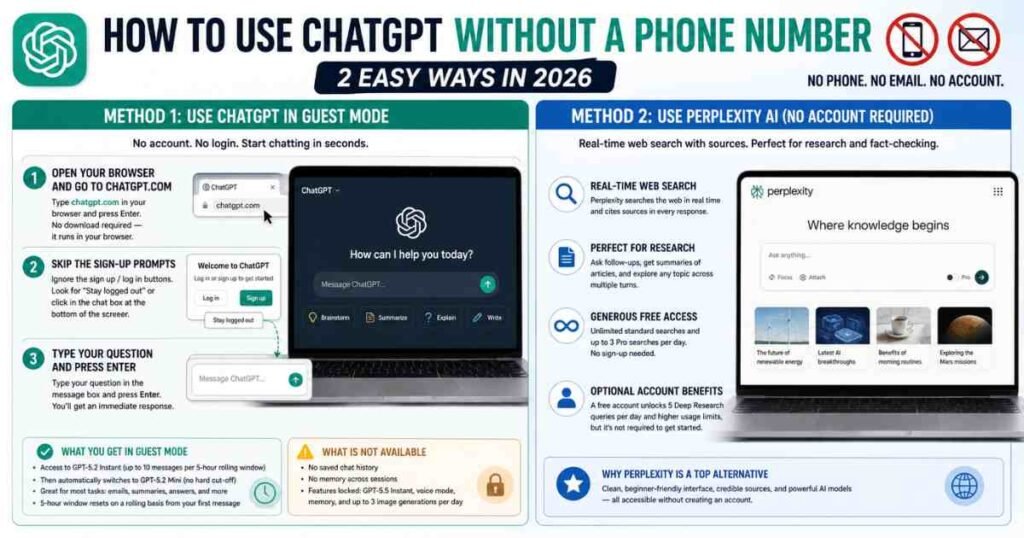
Step 1: Open Your Browser and Go to chatgpt.com
Type chatgpt.com into your browser address bar and press Enter. You will land on the ChatGPT homepage. No download is required — everything runs directly in the browser.
Step 2: Skip the Sign-Up Prompts
You will see buttons encouraging you to sign up or log in. Ignore these. Look for the option that says “Stay logged out”, or simply scroll down and click directly in the chat box at the bottom of the screen. ChatGPT will let you start a conversation without asking for any credentials.
Step 3: Type Your Question and Press Enter
Click in the message box, type your question, and press Enter. ChatGPT will respond immediately. You are now using the tool with no phone number, no email address, and no account created. It really is that straightforward.
What You Get in Guest Mode
In guest mode, you get access to GPT-5.2 Instant — OpenAI’s current free-tier model — for up to 10 messages per five-hour rolling window. Once you hit that limit, ChatGPT automatically switches you to GPT-5.2 Mini, a lighter version you can continue using without any hard cut-off. The five-hour window resets on a rolling basis from your first message, not at midnight, so if you pace your sessions you can comfortably use both the morning and evening for separate rounds of 10 full-quality messages.
For most beginner tasks — drafting an email, answering a question, summarising a piece of text — this is more than enough to explore what the tool can do.
The main trade-off is that your conversation history is not saved. When you close the browser tab, the chat is gone. ChatGPT also has no memory of any previous sessions, so each time you return you are starting fresh. For many users who are simply exploring the tool, this is perfectly manageable.
What Is Not Available in Guest Mode
A few features are locked behind account login. Creating a free account gives you access to GPT-5.5 Instant (a more capable model than the guest mode version), saved chat history, voice mode, memory across sessions, and up to three image generations per day. If you need these features regularly, creating a free account is the better long-term option. Based on current sign-up flows, many users can now register with just an email address, though phone verification may still appear in certain regions or under specific security conditions.
Method 2: Use Perplexity AI (No Account Required)
If guest mode on ChatGPT does not quite meet your needs, Perplexity AI at perplexity.ai is the strongest free alternative available in 2026 — and it requires no account to start using.
Perplexity works differently from ChatGPT in one key way: it searches the web in real time and cites its sources directly in every response. This makes it particularly useful for research, fact-checking, or any question where you want to know exactly where the information is coming from. You can ask follow-up questions, get summaries of articles, and dig into a topic across multiple turns of conversation — all without creating an account.
Without signing in, you get unlimited standard searches and up to three Pro searches per day, which tap into more powerful AI models for complex questions. For most beginner tasks, that is more than enough. I have used Perplexity regularly in sessions with my own students when they need quick, well-sourced answers without the friction of sign-up, and it consistently delivers. The interface is clean and easy to navigate even for complete beginners.
One thing worth knowing: Perplexity does prompt you to create a free account after extended use, and a free account unlocks five Deep Research queries per day and slightly higher usage limits. But for casual use, none of that is required to get started.
Method 3: Use You.com (No Signup to Start)
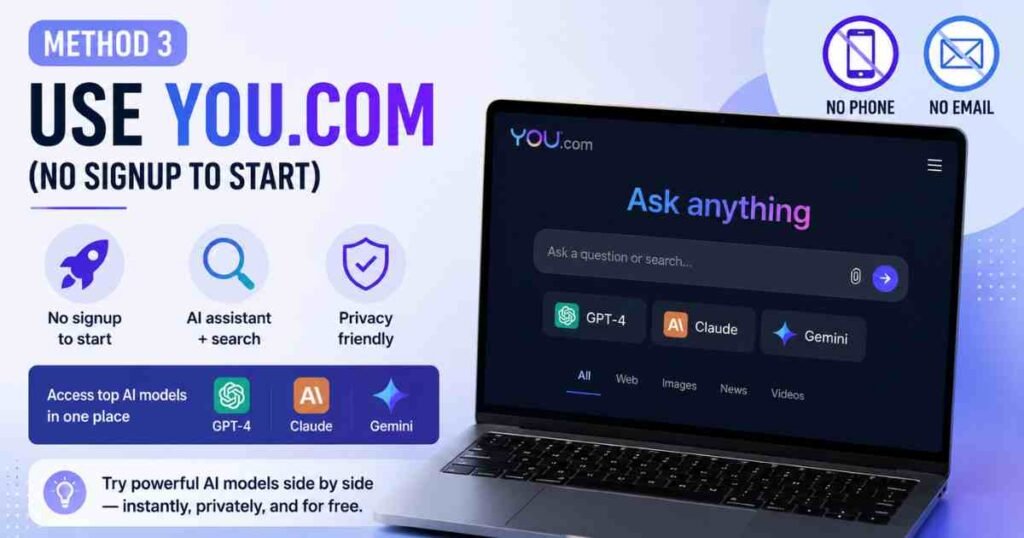
You.com at you.com is another solid no-signup option worth knowing about. It combines an AI assistant with a search engine, and you can start using it immediately without creating an account or providing an email address.
One thing worth being upfront about: You.com is best described as “no immediate signup required” rather than “no signup ever.” The free plan includes unlimited access to their express AI model and basic search features, but heavy users will eventually see prompts to register. For someone who wants to test AI tools before committing to any platform, that is genuinely useful.
What sets You.com apart is the range of AI models it gives you access to — including GPT-4, Claude, and Gemini — all from a single interface. If you find ChatGPT’s guest mode too limited and want to try different AI assistants side by side without any sign-up friction, You.com is a practical way to do that.
If you are interested in exploring other free AI tools that require no phone number, take a look at our guide to How to Use Gemini AI for Free, which covers Google’s AI assistant and another strong no-account option worth bookmarking.
Method 4: Create a Free Account Using an Anonymous Email Address
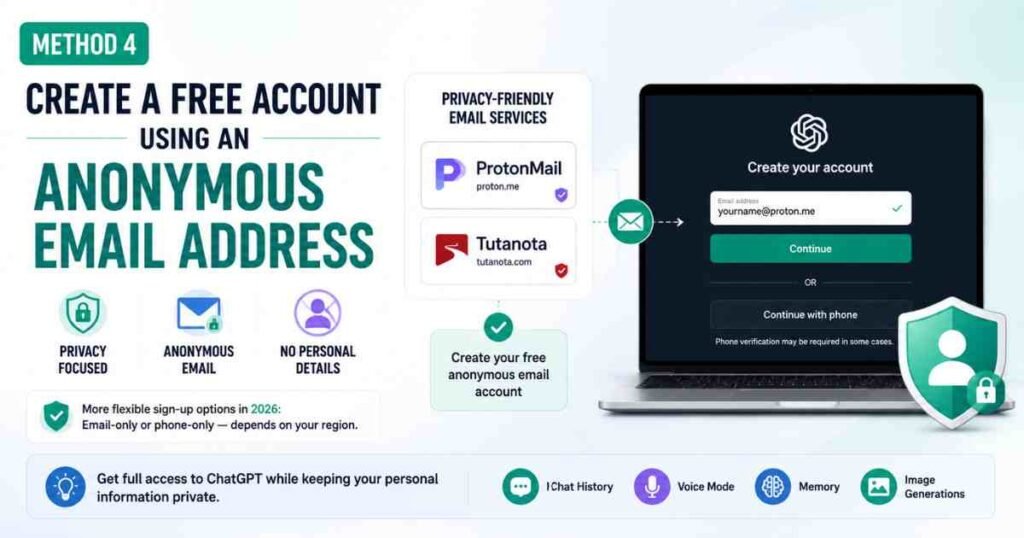
If you want a full ChatGPT account but prefer not to use your personal details, there is a fourth route worth considering: signing up with a privacy-focused, anonymous email address.
Services such as ProtonMail (proton.me) and Tutanota allow you to create a free email account without linking it to your real identity. You can then use that email to register for ChatGPT.
In 2026, the sign-up process has become more flexible for many users. Phone verification is no longer universally required — OpenAI now supports phone-only sign-ups and email-only sign-ups depending on your region, device, and network. That said, some users are still prompted for phone verification depending on their location or IP address. If that prompt appears and you would rather not provide a number, Methods 1, 2, or 3 above remain the more reliable paths.
For a full walkthrough of what ChatGPT can do once you have access, our guide on How to Use Claude AI covers a similar beginner-friendly onboarding experience. It is useful reading if you are brand new to AI tools and want to understand what these platforms can do before committing to sign-up.
Tips to Get Better Results in Guest Mode
Using ChatGPT without an account does not mean settling for poor results. These practical habits will make your sessions significantly more productive, even without saved history.
Write out your full context at the start of each session. Because ChatGPT cannot remember previous conversations in guest mode, open every new session with a brief summary of what you are working on. For example: “I am writing a product description for a handmade candle business. Help me write a 100-word description for a lavender scent.” That single sentence gives ChatGPT everything it needs to produce something useful straight away.
Keep your questions specific. Vague questions produce vague answers. The more precise you are about what you want, the better the output. Instead of “write me something about productivity”, try “give me five practical tips for managing a to-do list as a freelancer who works from home.” Specificity is the single biggest factor in getting high-quality responses from any AI tool.
Use the same session for related questions. Since your message allowance resets on a rolling five-hour basis, try to keep related questions within the same conversation window rather than closing and reopening the tab between every question. You preserve more of your allowance that way.
If you are looking to get even more from ChatGPT once you have a full account, our article on 25 ChatGPT Prompts for Email Writing is packed with copy-paste prompts you can use immediately. Our 30+ ChatGPT prompts for students guide also covers the most useful prompts for assignments, research, and revision.
Common Mistakes to Avoid
Assuming you need an account to start. This is the most common misconception I encounter among beginners. You do not need an account. ChatGPT’s guest mode is accessible to anyone and delivers GPT-5.2 Instant — the same model quality available on the free plan — for up to 10 messages per session.
Using third-party “no sign-up” ChatGPT sites. A quick search will surface dozens of websites claiming to offer ChatGPT access without registration. Many of these are not official OpenAI products. They may contain intrusive ads, collect your data without being transparent about it, or simply run older, lower-quality models. Stick to chatgpt.com, perplexity.ai, or you.com for safe, reliable access.
Expecting to access advanced features without an account. Guest mode is genuinely useful, but it is limited by design. If you find yourself regularly needing file uploads, image generation, voice mode, or longer conversation sessions, it is worth creating a free account. The free tier in 2026 offers GPT-5.5 Instant, voice mode, and three image generations per day — meaningful upgrades beyond what guest mode provides.
Trying virtual phone number services from unknown providers. Some guides suggest using virtual phone number services to bypass phone verification when signing up. While some of these occasionally work, many virtual numbers are already flagged and blocked by OpenAI’s verification system. The guest mode approach is simpler, faster, and requires no workarounds at all.
Frequently Asked Questions About Using ChatGPT Without a Phone Number
Can I use ChatGPT without creating an account?
Yes. Visit chatgpt.com and start chatting in guest mode without signing up, logging in, or providing an email address or phone number. You will have access to GPT-5.2 Instant for up to 10 messages per five-hour rolling window, after which ChatGPT switches you to GPT-5.2 Mini for continued use.
Does ChatGPT require a phone number to sign up in 2026?
Not always. OpenAI now supports phone-only sign-ups and email-only sign-ups in many regions. However, phone verification may still appear depending on your location, device, or network. If you would rather avoid providing any personal details, guest mode gives you immediate no-account access.
What are the limitations of using ChatGPT in guest mode?
In guest mode, your chat history is not saved, you cannot upload documents, image generation is unavailable, and voice mode is locked behind login. You are limited to GPT-5.2 Instant for 10 messages per session before switching to GPT-5.2 Mini. For most beginner tasks — drafting text, answering questions, brainstorming — these limitations are perfectly manageable.
What is the best ChatGPT alternative that requires no sign-up in 2026?
Perplexity AI at perplexity.ai is the strongest no-account alternative. It searches the web in real time, cites its sources in every response, and allows unlimited standard searches without any registration. You.com is also worth trying if you want to compare multiple AI models — including GPT-4, Claude, and Gemini — from a single interface before committing to any platform.
Is it safe to use ChatGPT in guest mode?
Yes. OpenAI officially supports guest access on chatgpt.com, so it is a fully legitimate and safe way to use the tool. As with any AI platform, avoid sharing sensitive personal information — such as passwords, financial details, or private medical information — in any conversation, regardless of whether you are logged in or not.
Start Using ChatGPT Today, No Phone Number Needed
Using ChatGPT without a phone number is simpler than most people expect. Guest mode at chatgpt.com gives you immediate, no-fuss access to GPT-5.2 Instant without any personal details. For real-time web search with cited sources, Perplexity AI is the most reliable free alternative with no account required. You.com is worth bookmarking if you want to explore multiple AI models without signing up first. Any of these three options will get you into an AI conversation within the next two minutes — no phone number, no forms, no friction.
This article was written by Priya Nair for AI Genius Optimizer. We only recommend tools we have personally used and tested.