
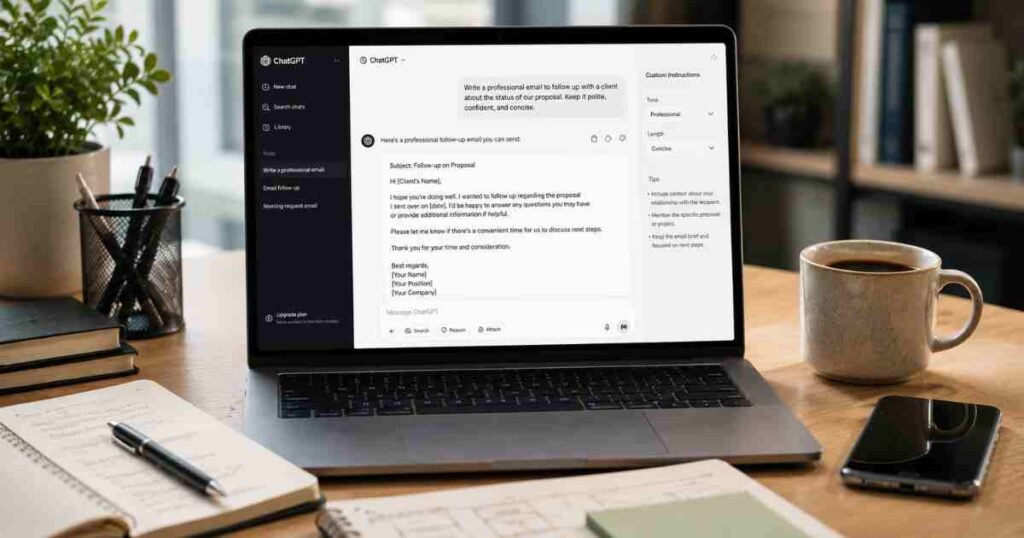
ChatGPT prompts for email writing are one of the fastest ways beginners can start saving real time with AI in 2026. Whether you are drafting a cold outreach message, chasing an overdue invoice, writing a polite follow-up after an interview, or customising the tone of a tricky reply, having the right prompt makes the difference between a vague unusable draft and something you can actually send within minutes.
I use these prompts every week with my students at AI Genius Optimizer, and the reaction is almost always the same: “I cannot believe I was writing all these emails from scratch.” Once you understand how to frame a prompt properly, ChatGPT becomes a fast, patient writing assistant who never tires of revisions and never judges you for asking the same question six different ways.
A study of more than 3,500 professionals found that those who used generative AI for tasks like writing emails produced higher-quality work in less time — and Microsoft Copilot users in a 6,000-person study saved nearly three hours per week managing email, a 25% workload reduction. The gains are real, and they show up fast.
All 25 prompts below have been tested as of June 2026 using the free version of ChatGPT at chat.openai.com.
Why ChatGPT Prompts for Email Writing Actually Work
Most people who get poor results from ChatGPT are simply being too vague. Typing “write me a professional email” produces the kind of stiff, generic output that nobody wants to send. The prompts in this article are specific enough to generate real, usable first drafts.
Effective email prompts share four elements: a clear role or context, a description of the recipient, the goal of the email, and the tone you want. The more detail you provide in each of those four areas, the more accurately ChatGPT can match your voice and your situation.
This is a principle from prompt engineering — the practice of structuring AI instructions for maximum output quality. You do not need to be technical to apply it. The prompts below are already structured to include all four elements. Your job is to fill in the details that are specific to your situation.
ChatGPT leads the pack as the most widely adopted AI writing tool, used by 76% of AI-enabled businesses, and 63% of marketers now use AI tools in email campaigns. Understanding how to prompt it properly is the skill that separates people who get excellent results from those who remain frustrated after the first attempt.
ChatGPT Prompts for Professional Work Emails

These are the emails most people write every single day: requests, updates, apologies, and responses to colleagues. Specificity is everything here — the more context you give about the relationship and the situation, the more naturally the output reads.
1. Requesting a Meeting “Write a professional email requesting a 30-minute meeting with my manager [Name] to discuss my career progression. The tone should be confident but not pushy. Keep it under 100 words.”
2. Responding to a Complaint “Write a professional response to a customer complaint about a delayed delivery. Acknowledge the issue, apologise sincerely, and offer a 10% discount on their next order. Keep the tone warm and solution-focused.”
3. Asking for Feedback “Write a short email asking my colleague [Name] for feedback on a presentation I delivered last week. Keep it casual and end with a specific question rather than a broad, open-ended request.”
4. Declining a Request Politely “Write a professional email declining a request to take on an additional project this quarter. The reason is workload. Keep the tone warm, explain briefly, and leave the door open for future collaboration.”
5. Announcing a Project Update “Write a brief internal email updating my team on the progress of [Project Name]. We are on track, one milestone is complete, and the next deadline is [Date]. Tone: clear and reassuring.”
6. Addressing a Sensitive Issue with a Colleague “Write a professional email to a colleague [Name] addressing a recurring issue with missed deadlines on shared tasks. The tone should be direct but non-confrontational. Focus on the impact on the project, not personal criticism. Keep it under 120 words.”
How to Write Cold Emails That Actually Get Replies
Cold emails are notoriously difficult to write well. You have a few seconds to earn attention, and most cold email templates look and feel exactly like templates. These prompts are designed to produce cold outreach that sounds like a person wrote it — because the personalisation you add to the bracketed details is what makes the difference.
Copywriting convention holds that a cold email needs to earn the reader’s attention in the first line, make one specific ask, and make it easy to say yes. The prompts below are structured around that principle.
7. B2B Sales Outreach “Write a 120-word cold outreach email to a marketing manager at a mid-sized e-commerce company. Goal: book a 15-minute demo call for our email marketing software. Open with a specific pain point about cart abandonment rates. Include one data point. One clear call to action. No ‘I hope this finds you well.'”
8. Partnership Proposal “Write a cold email proposing a content partnership to the editor of [Blog Name]. Explain that I run [Your Website], which covers [Topic]. Suggest a guest post exchange. Keep it under 150 words and make it easy to say yes.”
9. Freelance Services Pitch “Write a cold email pitching my freelance copywriting services to a small SaaS startup. I specialise in onboarding emails that improve trial-to-paid conversion rates. Include one specific result I achieved for a past client. Tone: professional but personable.”
10. Networking Introduction “Write a networking email introducing myself to [Person Name], a [Job Title] I met briefly at [Event]. Mention a specific part of their talk that resonated with me. Suggest a short virtual coffee chat. Keep it relaxed and genuine, not salesy.”
11. Reconnecting with a Lapsed Contact “Write a warm email reconnecting with a former colleague [Name] I have not spoken to in two years. Reference something we worked on together. Ask how they are doing before mentioning that I am looking to expand my network in [Industry]. Keep it natural, not transactional.”
ChatGPT Prompts for Follow-Up Emails
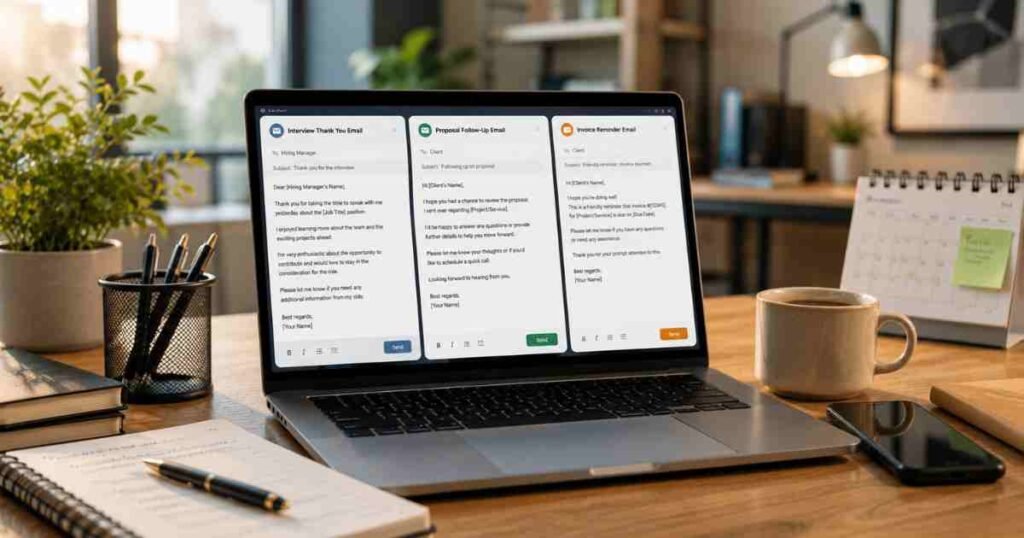
Following up without sounding desperate or passive-aggressive is a genuine skill. A well-timed follow-up with the right tone often converts more than the original email did. These prompts handle the awkward in-between stage after a meeting, a proposal, or a job interview, where most people either give up or overcommunicate.
12. After a Job Interview “Write a thank-you follow-up email after a job interview for a [Job Title] role at [Company]. The interview was with [Interviewer Name]. Mention one specific topic we discussed, express genuine enthusiasm for the role, and reiterate one key qualification. Keep it under 150 words.”
13. After Sending a Proposal “Write a follow-up email sent five days after submitting a freelance proposal that has not received a response. Keep the tone warm and non-pushy. Briefly restate the value I can offer and suggest one easy next step.”
14. After a Networking Meeting “Write a short follow-up email after a 30-minute virtual coffee chat with [Person Name]. Reference one thing we talked about, thank them for their time, and share the resource I mentioned I would send.”
15. Chasing an Overdue Invoice “Write a polite but firm email following up on an invoice that is 14 days overdue. The invoice total is $[Amount] and the invoice number is [XXXX]. Keep the tone professional, not confrontational, and include a payment link placeholder.”
16. Following Up on a Job Application “Write a brief, professional follow-up email for a job application submitted two weeks ago that has not received a response. Express continued interest in the [Job Title] role at [Company]. Keep it under 80 words and do not sound demanding.”
ChatGPT Prompts for Customer Support Emails

If you run a small business or manage customer queries, this is where ChatGPT pays for itself most quickly. Personalisation at scale — giving each customer a response that feels individually considered rather than copied from a template — is the hardest part of customer communication to maintain under volume. These prompts solve that problem directly.
17. Responding to a Refund Request “Write a customer support email responding to a refund request for a digital product. The customer says it did not meet their expectations. Offer a full refund and include a short, genuine apology. Keep the tone human and helpful, not robotic.”
18. Informing Customers About a Service Outage “Write an email notifying customers about an unexpected service outage that started this morning. Be transparent about the cause, give an estimated resolution time of [X hours], and apologise for the inconvenience. Tone: calm and reassuring.”
19. Welcoming a New Customer “Write a warm welcome email for a new customer who just signed up for our [Product/Service]. Highlight three important first steps, include links as placeholders, and end with an offer to help. Tone: friendly and encouraging, not corporate.”
20. Handling a Negative Review Response “Write a professional public response to a negative Google review from a customer unhappy with slow service. Acknowledge the experience, apologise, and invite them to contact us directly. Keep it under 80 words.”
21. Upsell Email to an Existing Customer “Write a personalised email to an existing customer who has been using our [Basic Plan] for six months, suggesting they upgrade to [Premium Plan]. Highlight two specific features of the premium plan that are relevant to their usage. Tone: helpful and informative, not pushy. Keep it under 150 words.”
ChatGPT Prompts for Email Subject Lines

Your subject line determines whether your email gets opened or ignored. AI-generated subject lines improve email open rates by up to 9.3%, and the difference between a strong and a weak subject line is often the difference between a campaign that converts and one that goes unread. These prompts focus specifically on subject lines rather than generating entire emails.
22. For Cold Outreach “Write five email subject lines for a cold outreach email targeting marketing managers about an AI productivity tool. Make them curiosity-driven but specific. Under 50 characters each. No clickbait.”
23. For Weekly Newsletters “Write five email subject lines for a weekly newsletter about AI tools for small businesses. The main story this week covers using ChatGPT to reduce admin time. Mix question-based and statement-based options.”
24. For Promotional Campaigns “Write five subject lines for a promotional email announcing a 25% discount on our online course. Target audience: freelancers and side-hustlers. Tone: friendly and motivating. No exclamation marks.”
25. For Re-Engagement Campaigns “Write five email subject lines for a re-engagement campaign targeting subscribers who have not opened an email in three months. Goal: get them to re-engage. Tone: warm and direct, not guilt-tripping.”
How to Adjust Tone in Any ChatGPT Email Prompt
Tone is one of the most underused levers in email writing, and one of the most powerful. The same message — a follow-up after a proposal, a request for feedback, a refund response — can land completely differently depending on how it is pitched. ChatGPT handles tone adjustment well when you tell it exactly what you want.
Here are the tone instructions that produce the most consistently useful output across different email situations.
For formal professional emails: Add to any prompt: “Tone: formal and professional. Avoid contractions. Write in complete sentences. Do not use casual language.”
For warm and conversational emails: Add to any prompt: “Tone: warm and conversational, like an email from a trusted colleague rather than a corporate template. Use contractions naturally.”
For assertive but non-aggressive emails: Add to any prompt: “Tone: direct and confident. State the main point in the first sentence. Do not hedge or over-apologise. Keep the language professional.”
For empathetic customer-facing emails: Add to any prompt: “Tone: empathetic and human. Acknowledge the customer’s experience first before moving to the resolution. Avoid robotic or template-sounding language.”
Matching your existing voice: Paste three or four of your previously written emails into ChatGPT and ask: “Analyse the tone, sentence length, and vocabulary in these emails, then write new emails in the same style.” This is the fastest way to ensure AI-generated output sounds like it came from you rather than a generic template.
How to Use ChatGPT for Gmail
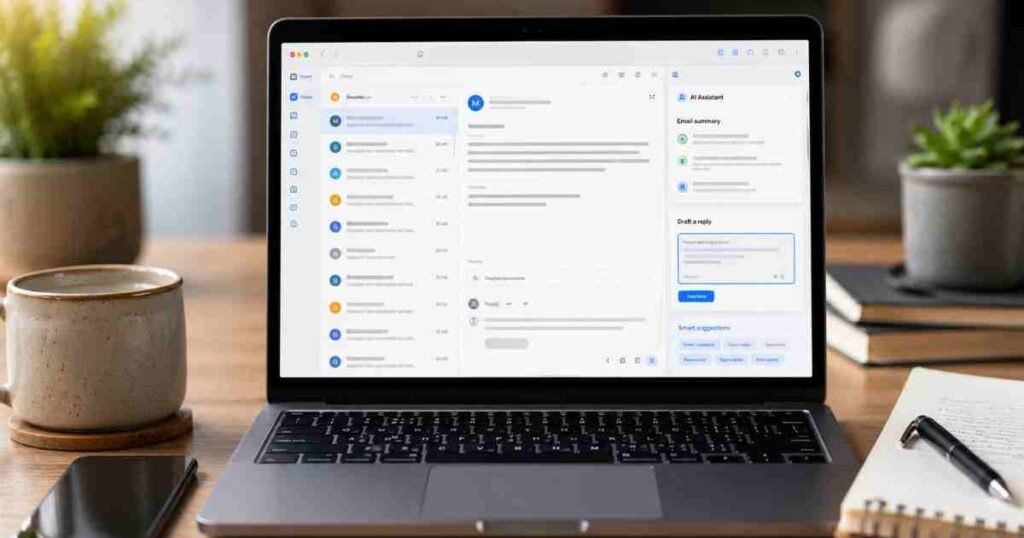
If you use Gmail as your primary email client, you can bring ChatGPT directly into your inbox rather than switching between tabs. ChatGPT now supports a native Gmail connector: go to ChatGPT settings, find Connectors, click Connect next to Gmail, and approve the permissions. ChatGPT requests read access to your emails and does not send, forward, delete, or modify anything in your inbox.
Once connected, you can ask ChatGPT directly inside the chat interface to:
- “Summarise my last five unread emails and flag anything that needs a reply today”
- “Draft a reply to the most recent email from [Name] in a warm, professional tone”
- “Find any emails from [Name] about [Topic] in the last two weeks”
- “Write a follow-up to the proposal I sent last Tuesday based on the original email thread”
You can also prompt ChatGPT to maintain your voice when generating new content so it appears to come directly from you, translate or localise emails for international contacts, and polish existing drafts you have already written.
For Google Workspace users, note that your IT administrator may need to approve the ChatGPT integration in the Google Workspace admin console before individual accounts can connect.
The alternative route, if your organisation does not allow the native connector, is a Chrome extension such as ChatGPT for Gmail, which sits inside the Gmail compose window and lets you generate and refine drafts without leaving your inbox.
ChatGPT vs Other AI Tools for Email Writing
ChatGPT is the most widely used AI email writing tool, but it is not the only capable option. Here is how the main alternatives compare for this specific use case.
ChatGPT (OpenAI): Best overall for prompt-based email generation. The free version handles all 25 prompts in this article effectively. The paid GPT-4o tier produces slightly more nuanced output on complex tone requests. Best for users who want maximum flexibility and control over every prompt.
Claude (Anthropic): Consistently strong on tone accuracy and long-form email writing. Claude tends to produce output that reads more naturally on the first attempt for professional and sensitive communications — particularly useful for difficult emails like conflict resolution, complaint responses, and feedback requests. If you find ChatGPT’s first drafts too stiff, Claude is worth trying on the same prompt. Our guide to using Claude AI covers how to get started for free.
Gemini (Google): Best for Gmail users who want AI writing assistance built directly into Google Workspace without any additional setup. Gemini drafts emails inside Gmail natively on paid Google Workspace plans. Our Gemini AI beginner guide covers the free version in full.
Perplexity AI: Not primarily an email writing tool, but useful for research-backed emails that need current data, cited statistics, or summarised information from the web incorporated into the message. Our Perplexity AI Review 2026 covers its strengths in detail.
For most people starting out, ChatGPT on the free plan is the right starting point. Once you are comfortable with prompt structure, you will develop an intuition for which tool to reach for depending on the specific email task.
Tips for Getting Even Better Results

Be specific about format. Add word count limits, structural requirements, or formatting instructions to any prompt. “Keep it under 100 words” and “use three short paragraphs” produce very different output from the same base prompt.
Iterate rather than start over. If the first draft is close but not quite right, tell ChatGPT specifically what to change. “Make the opening line more direct” or “remove the third paragraph and replace it with a one-sentence ask” works far better than starting a new prompt from scratch.
Ask for multiple variations. Add “give me three variations with different opening lines” to any prompt. This is particularly useful for subject lines and cold outreach, where testing different angles can significantly improve open rates and reply rates.
Add audience context. “Write a follow-up email to a busy startup founder” produces a noticeably different draft than the same prompt without that detail. Recipient context is the single most impactful variable after the email’s core purpose.
As an AI educator at AI Genius Optimizer, I have found that most beginners give up after one mediocre draft. The real skill is iteration, not expecting perfection on the first attempt. ChatGPT is a drafting partner, not a replacement for your judgement. The emails that land best are always the ones where a human voice shapes and refines the AI output — not the ones that go straight from prompt to send.
For broader context on how AI fits into a business workflow beyond email writing, our guide on how to use AI for small business growth covers practical use cases including customer service, marketing, and workflow automation.
What Business Owners Ask About ChatGPT Email Prompts
Can I use ChatGPT for free to write emails?
Yes. You can access ChatGPT for free at chat.openai.com. The free tier handles email writing effectively for most everyday situations. ChatGPT Plus costs $20 per month and gives you access to GPT-4o with higher message limits, but the free version handles all 25 prompts in this article without any issues. Pricing verified as of June 2026.
How specific do my prompts need to be?
The more specific, the better the output. At minimum, include the purpose of the email, a description of the recipient, the tone you want, and any key details the email should mention. Vague prompts produce generic drafts that require heavy editing. The prompts in this article are already structured with all four elements — your job is to fill in the bracketed placeholders with your real details.
Can ChatGPT match my personal writing style?
Yes, with a small amount of setup. Paste three or four of your previously written emails into ChatGPT and ask it to write in the same style. It analyses your tone, sentence length, and vocabulary patterns and mirrors them in new drafts. This works particularly well if you send a lot of similar emails regularly, such as client proposals or weekly team updates.
Is it safe to paste personal information into ChatGPT prompts?
Be cautious. Avoid pasting sensitive personal data, client details, or confidential business information into ChatGPT. Use placeholder text in brackets for private details, as shown in all the prompts above, and replace the placeholders with real information only in your final version before sending.
Do these prompts work for any industry?
Yes. The prompts above are written to be adaptable rather than industry-specific. Adjust the context, the recipient’s role, and the subject matter to suit your field. A legal professional, a freelance designer, and a retail manager can all use the same prompt structure with different details filled in.
What is the difference between using ChatGPT for email writing versus a dedicated email tool?
ChatGPT gives you maximum flexibility through open-ended prompting — you control every element of the output. Dedicated email tools like ActiveCampaign or Mailchimp have AI features built into their sending platform, but they are optimised for marketing campaigns rather than one-to-one communication. For individual professional emails, ChatGPT is more versatile. For high-volume email marketing with automation and follow-up sequences, a dedicated platform handles the workflow layer that ChatGPT cannot.
Save this page the next time you have a tricky email to write and you will have a solid first draft in under two minutes. The prompts work as written — adjust the bracketed details to match your exact situation and you are ready to send.
This article was written by Priya Nair for AI Genius Optimizer. We only recommend tools we have personally used and tested.