
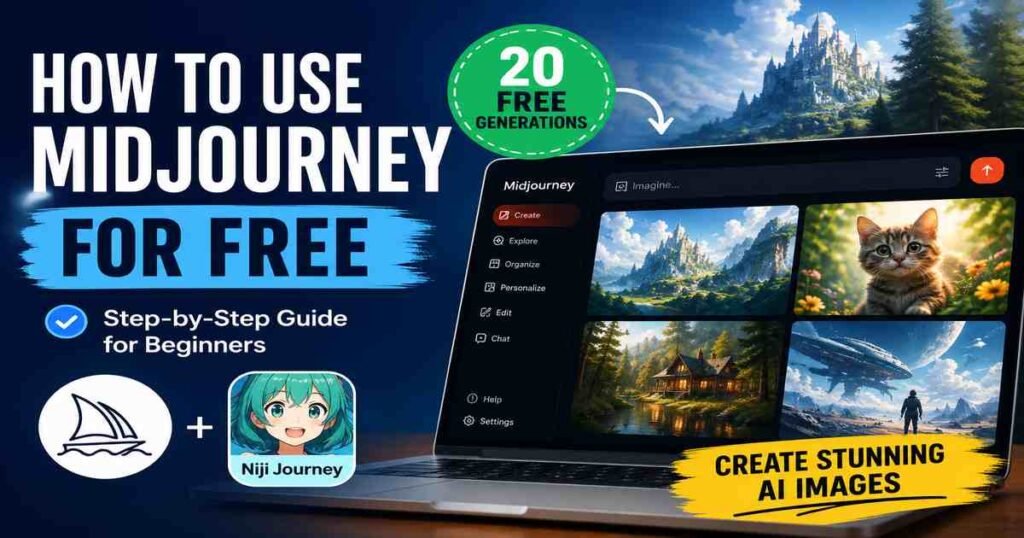
If you have been searching for how to use Midjourney for free, I want to give you an honest answer straight away: the full platform does not currently offer a free plan. No free trial exists on midjourney.com or via Discord as of June 2026. But there is still a legitimate, no-cost way to test the technology before committing to a subscription, and I will walk you through it. I will also show you exactly how to use Midjourney step by step once you are ready to start, so you can get stunning AI-generated images from day one.
I use Midjourney regularly with my students as an AI educator at AI Genius Optimizer, and the questions I hear most often are about cost. So let me clear everything up.
Is Midjourney Free? The Honest Answer for 2026
Midjourney removed its free trial in April 2023, citing what it described as “extraordinary demand and trial abuse.” Since then, the platform has not reinstated any free access on its website or Discord server. This is confirmed in Midjourney’s official documentation, which states plainly: “No free trial is currently available in Discord or the midjourney.com website.”
The good news is that Midjourney’s entry-level plan starts at $10 per month, which is genuinely affordable for what the platform delivers. There is also one official route to test the underlying technology without spending anything. I will explain that next.
How to Use Midjourney for Free: The Niji Journey Method
Niji Journey is an official collaboration between Midjourney and an animation studio. It runs on the same core AI engine as Midjourney but is designed specifically for anime and manga-style artwork. The mobile app is available on both iOS and Android, and new users receive 20 free image generations with no credit card required.
This is not some unofficial workaround. It is an official free entry point endorsed by Midjourney itself. The style is different from Midjourney’s full range, but the generation quality and prompt logic are essentially the same. If you want a genuine feel for how the AI interprets your descriptions before spending money, this is the place to start.
To access it, simply search for “niji journey” in the App Store or Google Play and download the app. Sign in and you will automatically have 20 free generations waiting for you.
What You Will Need to Use Midjourney
Once you are ready to access the full Midjourney platform, here is what you will need before you begin:
- A Google account or Discord account (either works for sign-in)
- A paid Midjourney subscription (Basic plan starts at $10 per month)
- A modern web browser: Chrome, Firefox, or Safari all work well
- A few ideas for your first prompt. They do not need to be complicated. “A red fox sitting in a snowy forest at sunset, digital art” is plenty to start.
You do not need Discord to use Midjourney in 2026. The platform moved to a standalone web interface at midjourney.com, so the old requirement to generate images through Discord is now optional rather than mandatory.
How to Use Midjourney: Step-by-Step Guide
These steps are accurate as of June 2026, based on the current midjourney.com web interface running Midjourney V7.
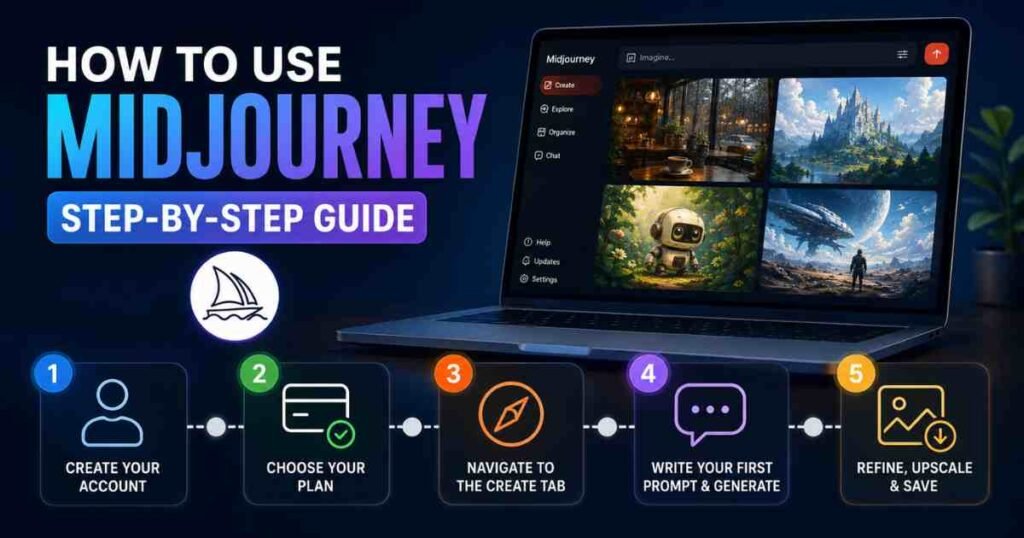
Step 1: Create Your Account
Go to midjourney.com and click “Sign In” in the top right corner. You will be prompted to sign in using either a Google account or a Discord account. Google sign-in is the quickest option if you do not already have Discord.
Once signed in, you will land on the Midjourney home page. At this point you will need a subscription to generate images, so click on your profile icon and then “Manage Subscription.”
Step 2: Choose Your Plan
For beginners, the Basic Plan at $10 per month is the right starting point. It gives you 3.3 hours of Fast GPU time per month, which translates to roughly 200 image generations. That is plenty to learn the platform and decide whether you want to stay.
If you plan to use Midjourney regularly for content creation, blogging, or design work, the Standard Plan at $30 per month adds unlimited images in Relax mode, which means you can generate as much as you like, just with slightly slower processing times. All plans include commercial usage rights once you have subscribed.
You can save 20% by choosing annual billing instead of monthly.
Step 3: Navigate to the Create Tab
After subscribing, the main workspace is the Create tab, which you will find in the left-hand navigation panel. This is where you will spend the majority of your time. At the top of the Create tab you will see the Imagine bar, which is simply a text field where you type your prompt.
Before writing your first prompt, take a moment to visit Settings (also in the left-hand navigation). Check that you are on the latest model version, currently V7. If V7 is not selected, click it to switch.
Step 4: Write Your First Prompt and Generate
Click inside the Imagine bar at the top of the Create tab. Type a description of the image you want to create, then press Enter or click the arrow button to send it.
Midjourney will begin generating a grid of four images based on your description. For V7, the platform understands natural language really well, so you do not need to use technical jargon or strange formatting. Write it the way you would describe a scene to a friend.
A beginner-friendly example prompt: “A cosy coffee shop interior on a rainy day, warm lighting, illustrated style, soft colours”
Your images will appear within seconds to a minute depending on complexity and current server load.
Step 5: Refine, Upscale, and Save
Once your four-image grid appears, you have several options. Click on any image to view it full-size. From there you can upscale it for a higher-resolution version, create variations based on that specific image, or use Remix mode to modify the original prompt and generate again.
To save an image, right-click it and select “Save image as,” or click the download icon if you are on mobile.
One thing I noticed when I first started using Midjourney: the variation tool is where the real magic happens. Generating one image, then creating four variations of your favourite, gets you to something polished far faster than rewriting prompts from scratch each time.
Midjourney Pricing: Which Plan Should You Choose?
Here is a quick breakdown of the four current plans, with pricing verified as of June 2026:
- Basic: $10/month ($8/month billed annually). Gives you 200 minutes of Fast GPU time, good for beginners and casual users.
- Standard: $30/month ($24/month billed annually). Includes 15 hours Fast GPU time plus unlimited images in Relax mode, best for regular creators.
- Pro: $60/month ($48/month billed annually). Comes with 30 hours Fast GPU time and Stealth Mode for private images, suited to professionals.
- Mega: $120/month ($96/month billed annually). Provides 60 hours Fast GPU time and maximum concurrent jobs, designed for studios doing high-volume work.
Most people starting out will find the Basic plan sufficient for weeks. If you are unsure, start there and upgrade when you need more. See the official Midjourney plan comparison for the full feature breakdown.
Tips to Get Better Results from Midjourney
These are the techniques I share with every beginner I teach. None of them are complicated, but they make a real difference to the quality of your outputs.
Be specific about lighting. Vague prompts produce vague images. Adding a lighting note such as “golden hour sunlight,” “soft diffused studio lighting,” or “dramatic side-lit” transforms results more than almost any other single change.
Name the art style or medium. Midjourney interprets “oil painting,” “watercolour illustration,” “3D render,” “cinematic photograph,” and “flat vector art” very differently. Choosing one gives you far more consistent results.
Use Draft Mode for fast ideation. V7 introduced Draft Mode, which generates images at a fraction of the normal GPU cost and roughly five times faster. It is perfect when you want to test ten different concept ideas before committing your GPU time to a final version.
Browse the Explore page. The Explore tab in the web interface shows you what other users are generating, along with their prompts. This is the fastest way to learn what kinds of descriptions produce the results you are looking for. I spent my first week on Midjourney almost entirely in Explore, and it saved me hours of guesswork.
Keep text in your image short. V7 has dramatically improved text rendering compared to earlier versions, with accuracy reportedly above 95% for short phrases. Keep any text you want in an image to one to three words, wrap it in quotation marks in your prompt, and add “legible text, clear typography” for best results.
Common Mistakes Beginners Make with Midjourney
These are the mistakes that slow almost every new user down, so it is worth knowing about them upfront.
Overloading the prompt. Trying to pack five art styles, three artists’ names, and a paragraph of detail into a single prompt produces chaos, not quality. Start simple. Add one element at a time until you understand how the model responds.
Expecting free access. Searching for loopholes or third-party tools claiming to offer Midjourney images for free is not a good use of your time. Most of them either produce inferior results using a different model, or they are outright scams. The $10 Basic plan is genuinely the cheapest legitimate route to the real Midjourney experience.
Skipping the Explore page. New users often head straight to generating without spending any time browsing what has already been made. This is like trying to learn cooking without ever looking at a recipe. The Explore page is essentially a free prompting masterclass.
Not using variations. Generating one image, deciding it is not right, and then rewriting the entire prompt wastes GPU time. Generate your grid, find the image closest to what you want, then use Vary (Subtle) or Vary (Strong) to iterate from that point. You will get where you are going much faster.
Frequently Asked Questions About How to Use Midjourney for Free
Does Midjourney have a free plan in 2026?
No. Midjourney does not have a free plan or a free trial on midjourney.com or Discord as of June 2026. The only official free option is the Niji Journey mobile app, which gives new users 20 free anime-style image generations. Paid plans start at $10 per month.
Can I use Midjourney without Discord?
Yes. Midjourney now has a full standalone web interface at midjourney.com. You can sign in with a Google account and generate images entirely through the website without ever using Discord. Discord is still available as an option but is no longer required.
What is Niji Journey and is it really free?
Niji Journey is an official collaboration between Midjourney and animation studio Spellbrush. It uses the same core AI engine as Midjourney but specialises in anime and manga-style images. The mobile app (available on iOS and Android) genuinely gives new users 20 free image generations with no credit card required. It is a legitimate, official free option, not a workaround.
Which Midjourney plan is best for beginners?
The Basic plan at $10 per month is the right starting point. It provides approximately 200 Fast GPU minutes per month, which is enough to learn the platform at a comfortable pace. If you find yourself hitting the limit regularly after a few months, upgrading to the Standard plan at $30/month unlocks unlimited images in Relax mode.
Is Midjourney worth paying for?
For anyone who creates visual content regularly, whether for social media, blogs, marketing materials, or creative projects, the quality Midjourney V7 produces is difficult to match with any other tool at this price point. The Basic plan at $10 per month works out to less than most people spend on coffee in a week. That said, if you only need occasional images and are not fussed about the anime-only limitation, the Niji Journey free tier covers casual use.
If you are still exploring your options, our guide to the best AI image generators you can use without signing up covers several alternatives worth testing first. For a broader look at what is available, the articles on how to use Gemini AI for free and how to use Claude AI are good places to explore what else is out there.
Midjourney is genuinely one of the most capable AI image generators available right now, and V7 has made the text-to-image process more accessible to beginners than any previous version. Starting with the Niji Journey free trial gives you a feel for AI prompting before you spend a penny, and when you are ready to move to the full platform, the Basic plan at $10 is a low-risk way to begin.
This article was written by Priya Nair for AI Genius Optimizer. We only recommend tools we have personally used and tested.