30 ChatGPT Prompts for Content Creation That Actually Work (2026)
June 11, 2026
Inside this Article
ChatGPT prompts for content creation only work when they give the model three things: a clear role, real context about your audience, and a defined output format. Miss one of those and you get the same generic fluff everyone else publishes. I teach AI workshops for complete beginners, and the 30 prompts below are the exact ones my students and I have refined over months of real use. Every single one was re-tested in the first week of June 2026 on the current version of ChatGPT, so the instructions match what the tool actually does today.
Copy them, swap in your own details, and you will have a working content system by the end of the day.
Why These ChatGPT Prompts for Content Creation Work
Most prompts fail because they are too short, not too long. Asking ChatGPT to “write a blog post about budgeting” forces it to guess your audience, your tone, and your structure, and it guesses the most average answer possible. The prompts in this list all follow a four-part pattern: role, context, task, format. OpenAI’s own prompt engineering guidance recommends exactly this kind of specificity, including giving the model a persona and stating the output format you want.
One thing surprised me when I re-tested everything this month. The single most effective prompt in this list is the one that asks ChatGPT to interview you before it writes anything. It feels backwards, because we assume the AI should do the talking. In my own testing, that interview prompt cut my blog drafting time from roughly two hours to about 45 minutes, and the draft sounded like me rather than a machine. Bear with me on this one; it is prompt number 26 below.
A quick note on access. All 30 prompts work on the free plan, which now runs on GPT-5.5 Instant as the default model. If you create content daily, the Plus plan at $20 per month (billed monthly) adds GPT-5.5 Thinking for more complex planning tasks. Pricing verified as of June 2026 on the official ChatGPT pricing page.
Blog Post and Article Prompts
These five cover the full blog workflow, from outline to final polish.
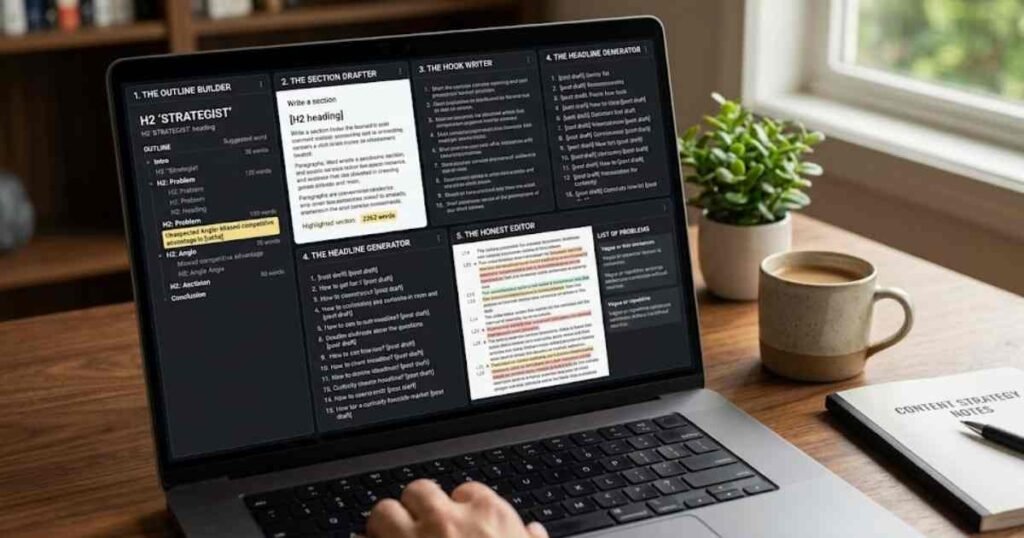
1. The Outline Builder
“Act as an experienced content strategist. I write for [audience] who struggle with [problem]. Create a detailed outline for a blog post titled [title], with H2 sections, suggested word counts per section, and one unexpected angle a typical article on this topic would miss.”
The “unexpected angle” line is what separates this from a generic outline. Without it, you get the same five sections every competitor already published.
2. The Section Drafter
“Write the section titled [H2 heading] from the outline above. Keep it under 250 words, use short paragraphs, write at a reading level a 14-year-old understands, and include one concrete example involving [your niche].”
Drafting section by section gives you far more control than asking for a full article in one go.
3. The Hook Writer
“Write 10 opening paragraphs for a post about [topic]. Each must be under 50 words, avoid rhetorical questions, and make a specific claim or promise. Rank them from strongest to weakest and explain the ranking.”
4. The Headline Generator
“Generate 15 headline options for this article: [paste draft or summary]. Mix how-to, list, and curiosity formats. Keep each under 60 characters and include the phrase [focus keyword] in at least five of them.”
5. The Honest Editor
“You are a strict editor at a respected publication. Review this draft and list every sentence that is vague, repetitive, or could be cut without losing meaning. Do not rewrite anything yet. Just list the problems with line references.”
Asking for problems before rewrites is the trick here. I noticed that when ChatGPT fixes and critiques in one step, it softens its own criticism.
Social Media Caption Prompts
Captions live or die on the first line. These prompts force ChatGPT to treat that first line as the whole job. If you manage business accounts, our guide on how to use AI for social media marketing goes deeper into scheduling and strategy.
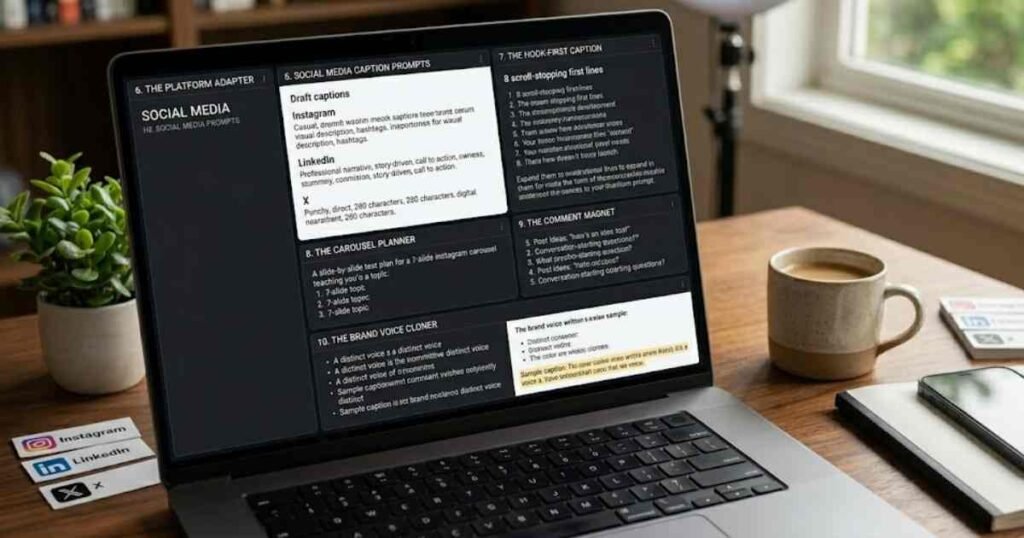
6. The Platform Adapter
“Take this idea: [idea]. Write one caption each for Instagram, LinkedIn, and X. Match each platform’s native style: casual and visual for Instagram, professional storytelling for LinkedIn, punchy and direct for X. Include a call to action suited to each platform.”
7. The Hook-First Caption
“Write 8 first lines for a post about [topic]. Each must stop the scroll without clickbait. No emojis, no ‘Did you know’, no questions. After the list, expand the best one into a full 100-word caption.”
8. The Carousel Planner
“Plan a 7-slide Instagram carousel teaching [topic] to [audience]. Give me slide-by-slide text, maximum 20 words per slide, with slide 1 as a bold claim and slide 7 as a save-worthy summary plus call to action.”
9. The Comment Magnet
“Write 5 post ideas about [niche] designed to start a genuine discussion, not just collect likes. For each, give the post text and the specific question that invites replies. Avoid engagement-bait phrasing.”
10. The Brand Voice Cloner
“Here are three captions I wrote myself: [paste]. Describe my voice in five bullet points, then write a new caption about [topic] in exactly that voice. Flag any line where you drifted from my style.”
YouTube and Short-Form Video Prompts
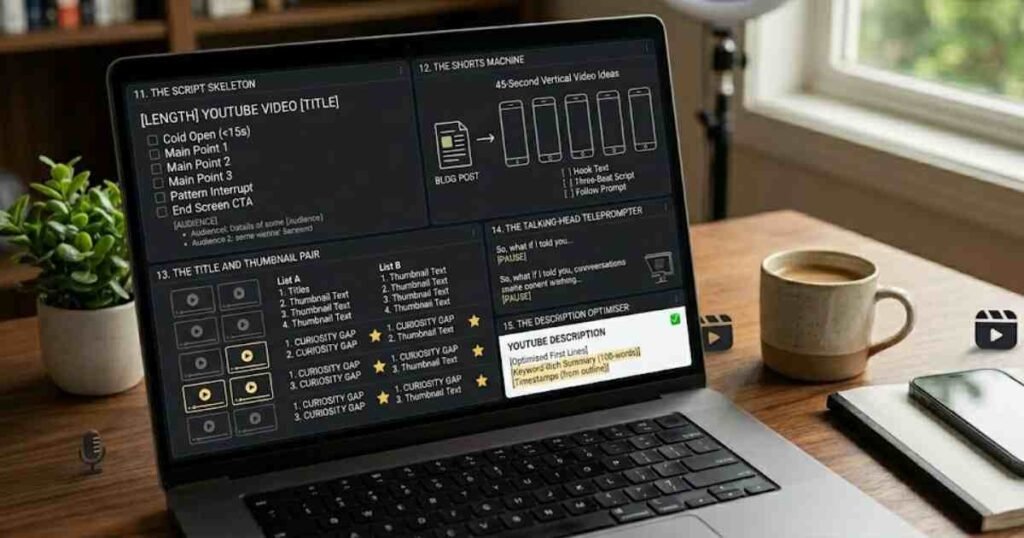
11. The Script Skeleton
“Write a script outline for a [length] YouTube video titled [title]. Structure: cold open under 15 seconds, three main points with timestamps, one pattern interrupt in the middle, and an end screen call to action. Audience: [describe].”
12. The Shorts Machine
“Turn this blog post into 5 ideas for 45-second vertical videos: [paste post]. For each, give the on-screen hook text, a three-beat script, and the final line that prompts a follow.”
13. The Title and Thumbnail Pair
“Suggest 10 title and thumbnail-text combinations for a video about [topic]. Titles under 55 characters. Thumbnail text under 5 words and never repeating the title. Mark which three combinations create the strongest curiosity gap.”
14. The Talking-Head Teleprompter
“Write a 60-second teleprompter script about [topic] in a conversational tone, written the way people actually speak, with contractions and short sentences. Mark natural pause points with [PAUSE].”
15. The Description Optimiser
“Write a YouTube description for : first two lines optimised to make viewers click ‘more’, then a 100-word summary naturally including [keyword], then timestamps from this outline: [paste].”
Email and Newsletter Prompts
Email rewards consistency more than cleverness. These four keep a weekly newsletter sustainable. For a full set of 25 email-specific prompts, see our ChatGPT prompts for email writing guide.
16. The Subject Line Splitter
“Write 12 subject lines for an email about [topic]: four curiosity-based, four benefit-based, four urgency-based without fake scarcity. All under 45 characters. Then pick the best A/B test pair and explain why.”
17. The Newsletter Formatter
“Turn these rough notes into a newsletter issue: [paste notes]. Structure: one personal opening line, one main insight under 300 words, three quick links with one-line descriptions, one question for readers. Tone: a knowledgeable friend, not a brand.”
18. The Welcome Sequence
“Draft a three-email welcome sequence for new subscribers to [newsletter description]. Email 1 delivers the promised value. Email 2 tells the story of why I started. Email 3 asks one question to learn about the reader. Each under 200 words.”
19. The Re-Engagement Email
“Write an email to subscribers who have not opened in 90 days. Be honest and human, acknowledge the silence without guilt-tripping, restate the value of staying, and offer a one-click way to leave. Under 150 words.”
Content Ideas and Planning Prompts
20. The 30-Day Calendar
“Create a 30-day content calendar for [niche] aimed at [audience]. Mix four content types: educational, story-based, opinion, and promotional in a 4:3:2:1 ratio. Present as a table with date, format, working title, and one-line angle.”
21. The Question Miner
“List 25 real questions [audience] types into Google about [topic], grouped by awareness stage: beginner, comparing options, ready to act. Mark the 5 questions with the least competition potential as priority content.”
22. The Trend Localiser
“Here is a trending topic: [trend]. Give me 5 ways to connect it to [my niche] without forcing it. Reject any angle that feels like a stretch and tell me why you rejected it.”
That rejection instruction matters. I use this with my students, and the discarded angles teach them more about relevance than the accepted ones.
23. The Pillar Splitter
“Take this pillar topic: [topic]. Break it into 12 sub-topics, each specific enough for a standalone post but connected enough to internally link. Show the linking structure as a simple text diagram.”
24. The Competitor Gap Finder
“Here are the headings from the top three articles ranking for [keyword]: [paste]. Identify what all three fail to cover, list three content gaps, and suggest which gap my article should own and why.”
Editing and Repurposing Prompts
25. The De-Robotiser
“Rewrite this text so it sounds like a real person: vary sentence length, remove every cliché and filler phrase, cut adverbs, and add one specific detail per paragraph. Keep my facts unchanged: [paste text].”
26. The Interview Method
“I want to write about [topic] but I want it in my own words. Interview me one question at a time, ask 6 to 8 questions a curious editor would ask, then turn my answers into a structured first draft that keeps my exact phrasing wherever possible.”
This is the prompt I mentioned earlier, and it is the one I recommend most often as an AI educator at AI Genius Optimizer. Your answers supply the experience and personality that no AI can invent, and the structure comes from the model. The result needs far less editing than anything ChatGPT writes from scratch.
27. The Format Shifter
“Repurpose this article into: a LinkedIn post, a 10-tweet thread, and a 60-second video script. Preserve the core insight but restructure completely for each format rather than trimming: [paste article].”
28. The Simplifier
“Explain this paragraph so a smart 12-year-old gets it, using one everyday analogy. Then give me a version for professionals who hate being talked down to: [paste paragraph].”
29. The Fact-Check Flag
“Review this draft and flag every claim that needs a source, every statistic that should be verified, and every statement that could be outdated in 2026. Output as a checklist. Do not rewrite anything: [paste draft].”
ChatGPT can still state outdated information confidently, so treat this as a flagging tool and verify the flags yourself.
30. The Final Polish
“Do a final pass on this piece: fix grammar, ensure UK spelling, check that no two consecutive paragraphs start with the same word, and confirm the opening line makes a specific promise the piece keeps: [paste].”
How to Copy and Use These Prompts
Replace every bracketed placeholder before you hit enter. The brackets are where your context lives, and the context is what makes the output yours. A prompt with [audience] left blank produces generic content no matter how well the rest is written.
Stack prompts in a single conversation rather than starting fresh each time. Run the outline builder, then the section drafter, then the honest editor in the same chat, because the model keeps your audience and tone in working memory throughout. On the free plan, longer conversations can hit message limits, so save your best prompt versions in a document.
One more practical tip. When a result misses the mark, do not rewrite the whole prompt. Reply with one correction, such as “less formal” or “more specific examples”, and iterate. Two or three short corrections nearly always beat one giant prompt. If your content needs visuals to go with it, our roundup of free AI image generators with no signup pairs well with this workflow.
FAQ: ChatGPT Prompts for Content Creation
Do these prompts work on the free version of ChatGPT?
Yes. All 30 prompts were tested on the free plan, which uses GPT-5.5 Instant as of June 2026. The free tier has message limits, so heavy daily creators may prefer Go at $8 per month or Plus at $20 per month, both billed monthly.
Will Google penalise content made with ChatGPT?
Google’s guidance targets low-quality content, not AI assistance itself. Content that demonstrates real experience, accurate information, and original insight can rank regardless of the tools used. The risk comes from publishing unedited AI output with no human input, which these prompts are specifically designed to avoid.
How do I make ChatGPT match my writing style?
Use prompt 10 or prompt 26. Paste three to five samples of your real writing and ask the model to describe your voice before it writes anything. You can also save a voice description in ChatGPT’s custom instructions so every new chat starts with it.
What is the biggest mistake beginners make with content prompts?
Vague adjectives. Words like “engaging”, “compelling”, and “high-quality” tell the model nothing actionable. Swap them for concrete constraints: a word count, a reading level, a banned phrase list, or a specific example to include. In my workshops, that single change improves output more than any other fix.
Can I use the same prompts for client work?
Yes, and they scale well because the bracketed placeholders force you to capture each client’s audience and voice separately. Keep one master document per client with their filled-in versions. Just confirm each client’s policy on AI-assisted content first, as disclosure expectations vary.
Pick three prompts from this list, fill in the brackets with your real audience and topic, and run them today. The fastest way to learn prompting is to publish something with it this week.
This article was written by Priya Nair for AI Genius Optimizer. We only recommend tools we have personally used and tested.
Get one genuinely useful AI tip every week. Free, no spam, unsubscribe any time.