
This Gemini AI review comes after three weeks of putting Google’s assistant through real daily work, from drafting client emails to summarising 80-page PDFs and planning a fortnight of content. I wanted to find out whether the 2026 version of Gemini has genuinely closed the gap on ChatGPT, or whether it still feels like the assistant you tolerate because it happens to live inside your Gmail. The answer surprised me, and it is not the one I would have given twelve months ago.
As an AI tools specialist at AI Genius Optimizer, I have tested over 200 productivity tools, and Gemini is now one of the few I keep open in a pinned tab all day.
What Is Gemini AI?
Gemini is Google’s multimodal AI assistant, the product that started life as Bard before a full rebrand. It runs on the Gemini family of large language models, and as of June 2026 that means Gemini 3.5 Flash for speed, the heavier Gemini 3.5 Pro for reasoning, and a newer generative model called Gemini Omni that turns text, images and video into finished clips.
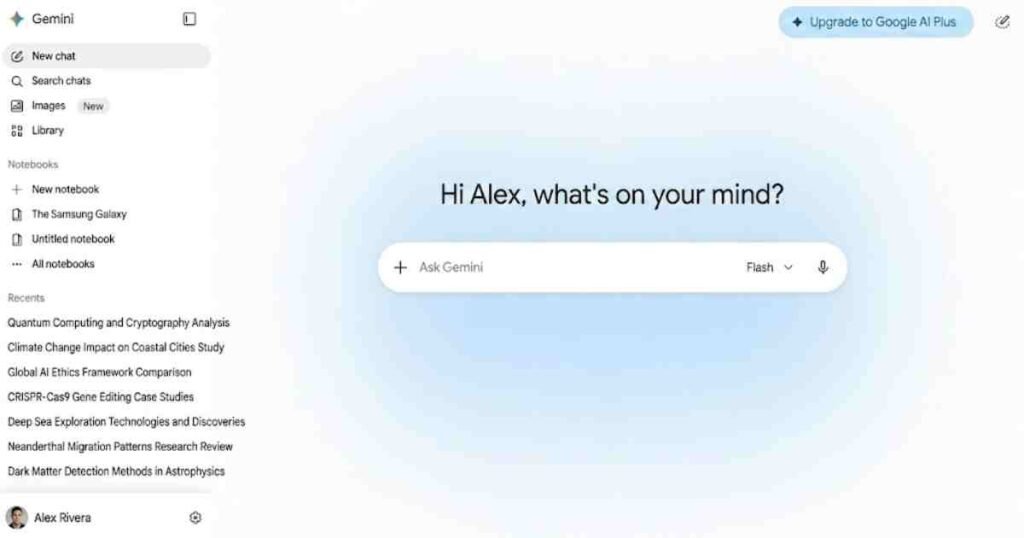
You can reach it three ways: the standalone Gemini app on web, Android and iOS, the side panel inside Google Workspace apps like Gmail and Docs, and Google AI Studio for anyone who wants to tinker with the API. The headline technical figure is the context window, which now stretches past one million tokens. In plain English, that means you can drop an entire book, a long contract or months of chat history into a single prompt and it will hold all of it in memory at once.
Who is it for? Anyone already inside Google’s ecosystem gets the most value, but Gemini has quietly become a serious general assistant for research, writing and analysis, not just a Workspace add-on.
Gemini AI Key Features I Actually Used
Gemini 3.5 and the Omni Model
The model upgrade is the part of this Gemini AI review that genuinely changed my mind. Gemini 3.5 Pro handles multi-step reasoning far better than the version I reviewed last year, and it stopped inventing citations on me, which was my single biggest complaint before. Omni is the wildcard. I uploaded a photo from my camera roll, asked for a short product clip, and it produced something usable in under a minute with no editing software involved.
Deep Research
Deep Research is the feature I now rely on most. You give it a question, it plans an approach, browses dozens of sources, and returns a structured report with links. In 2026 it can also pull from your own Google Drive and Gmail, and you can upload your own files as sources. I asked it to compare three project management tools for a client brief, and the 11-page report it produced would have taken me an afternoon to assemble manually.
Multimodal Input
Gemini processes images, audio, video and PDFs natively in one prompt. I fed it a screenshot of a messy spreadsheet and a voice note describing what I needed, and it understood both together. For anyone who works across formats, this multimodal handling is a real time saver rather than a gimmick.
Google Workspace Integration
If you live in Gmail, Docs and Calendar, the integration is the quiet selling point. The new Daily Brief agent pulls your priorities from Gmail, Calendar and past chats into one morning digest, and AI Inbox drafts replies you can actually send. I found myself clearing my inbox roughly 20% faster during the test fortnight.
How I Tested Gemini
I ran Gemini through a realistic three-week workflow during late May and early June 2026, using the free tier for the first week and the AI Pro plan for the remaining two. My daily tasks included drafting articles, summarising long PDFs, building research reports, generating images, and processing meeting notes. I deliberately repeated several prompts in ChatGPT and Perplexity to compare the output side by side, the same approach I used in my Perplexity AI review.
For accuracy testing, I gave it factual questions where I already knew the answer, then checked every citation it produced. In my experience, that is the only honest way to judge whether an AI assistant can be trusted with research you will actually publish.
Gemini Pricing and Plans (Verified June 2026)
Gemini pricing changed significantly at Google I/O 2026 and again in early June, so anything you read from last year is out of date. All figures below are billed monthly and verified as of June 2026 from Google’s official announcement.
| Plan | Price (monthly) | Best for | Key inclusions |
|---|---|---|---|
| Free | $0 | Casual users | Gemini 3.5 Flash, limited Pro access, 15GB storage, 5 Deep Research reports a month |
| Google AI Plus | $4.99 | Light daily users | More Pro access, 400GB storage (recently doubled) |
| Google AI Pro | $19.99 | Professionals and creators | Full feature access, 5TB storage, YouTube Premium Lite |
| Google AI Ultra | $100 or $200 | Developers and heavy users | 5x or 20x Pro usage limits, Gemini Spark, 20TB storage, YouTube Premium |
The detail worth flagging is the price war underneath these numbers. Google cut AI Plus from $7.99 to $4.99 in early June, and dropped the top Ultra tier from $250 to $200, a move TechCrunch described as a warning shot in the AI subscription price wars. Google also moved from daily prompt limits to a compute-based model, so a simple text question now costs far less of your allowance than a heavy video generation. You can read the full breakdown on the official Google blog.
For most readers, the $19.99 AI Pro plan is the sweet spot, and at that price it bundles YouTube Premium Lite, which softens the cost.
Pros and Cons
What works well: The one-million-token context window is in a different league for long documents. Deep Research is genuinely excellent, the Workspace integration saves real time, and the free tier is more generous than most rivals because it does not throttle you the moment you start working.
Where it falls short: Creative writing still feels a half-step behind ChatGPT, and the prose can read flat without careful prompting. Some of the best features, including Gemini Spark and the Daily Brief, are United States only at launch, which is frustrating for international users. And the new compute-based limits, while fairer in theory, make it harder to predict when you will hit your cap.
Who Is Gemini Best For?
Gemini is the obvious pick if you already use Gmail, Docs and Drive every day, because the assistant becomes part of tools you never close. Researchers, students and analysts will get the most from Deep Research and the huge context window. Small business owners juggling email, scheduling and content will appreciate the agents, and I covered similar workflow tools in our best AI tools for small business guide.
Who should look elsewhere? If your main job is polished long-form creative writing, ChatGPT still edges it. And if you want a focused, citation-first research engine with nothing else attached, Perplexity remains leaner. For pure note-taking and knowledge management, our Notion AI review covers a better-fit option.
Gemini vs ChatGPT and Other Alternatives
The numbers tell a story Google will be happy with. ChatGPT’s share of generative AI traffic fell from 77.6% in May 2025 to 53.7% by April 2026, while Gemini’s share climbed from 7.27% to 26.7% over the same period, reaching roughly 1.8 billion monthly visits. Gemini won that ground on productivity, not personality.
Against ChatGPT, Gemini wins on context size, multimodal input and native Google integration. ChatGPT wins on creative flair, coding polish and instruction-following on tricky multi-step logic. Against Perplexity, Gemini offers far more beyond search, though Perplexity stays cleaner for fast sourced answers. For copywriting specifically, a dedicated tool like the one in our Copy.ai review may suit marketers better, and for free image work the picks in our best free AI image generators roundup are worth a look.
Gemini AI Review FAQ
Is Gemini AI free to use?
Yes. The free tier gives you Gemini 3.5 Flash, limited access to the Pro model, 15GB of storage and five Deep Research reports a month. For heavier use, paid plans start at $4.99 a month for Google AI Plus, verified as of June 2026.
Is Gemini better than ChatGPT in 2026?
It depends on the task. Gemini is stronger for research, long documents and anything inside Google Workspace, thanks to its one-million-token context window. ChatGPT still leads on creative writing and coding. Many people now use both for different jobs.
What is the difference between the Gemini plans?
Free covers casual use, AI Plus at $4.99 adds storage and more Pro access, AI Pro at $19.99 unlocks full features plus 5TB and YouTube Premium Lite, and AI Ultra at $100 or $200 is built for developers and the heaviest users. All prices are billed monthly.
Can Gemini generate images and video?
Yes. The Gemini Omni model creates and edits video from text, image or video input, and the assistant generates images directly in chat. Higher usage limits and the most advanced creative features sit on the paid Pro and Ultra tiers.
Is Gemini safe for work documents?
Gemini handles files inside Google’s existing security framework, and paid Workspace plans add enterprise controls. As a sensible habit, avoid pasting confidential client data into any AI tool unless your organisation has approved it.
Final Verdict
After three weeks, my verdict is that Gemini has earned its place rather than ridden in on Google’s brand. The free tier alone is worth setting up, and our step-by-step guide on how to use Gemini AI for free walks you through it. The $19.99 Pro plan is the one I would actually pay for if research and Workspace are part of your week. Try it for a fortnight on your own real tasks before you decide, because the only test that matters is your workflow, not a benchmark chart.
This article was written by Alex Rivera for AI Genius Optimizer. Some links may be affiliate links. We only recommend tools we have personally tested.