

The best AI tools for small business in 2026 have moved well beyond basic chatbots and spell-checkers. Today’s tools handle writing, automation, design, transcription, and project management at a level that would have required a dedicated employee just three years ago. I have been reviewing AI platforms as an AI tools specialist at AI Genius Optimizer for several years and have tested over 200 tools. The seven listed below are the ones I would actually recommend to a small business owner building their AI stack today — because they are the ones I use myself, or have put through rigorous real-world testing on behalf of clients.
The SBE Council’s March 2026 Technology Use Survey of 517 small business employers found that 82% have now invested in AI tools, with the typical small business running a median of five tools across their stack. More tellingly, 66% report revenue increases linked to AI adoption, and owners save a median of 5 hours per week on their own time. That is not a marginal efficiency gain. It is real capacity returned to the business, and the data is compelling enough to take seriously.
What to Look For in the Best AI Tools for Small Business
Before spending a dollar, three things are worth getting clear on. First, does the tool save time on tasks you do every day, not just the tasks you do once a quarter? Second, is the pricing proportionate to the outcome you get? Third, how steep is the learning curve for someone who is not a technical founder?
The tools that stick with small business owners are almost always fast to learn and immediately useful on day one. I have applied those three filters to every platform on this list. If a tool did not pass all three, it did not make the cut — regardless of how much marketing noise surrounds it.
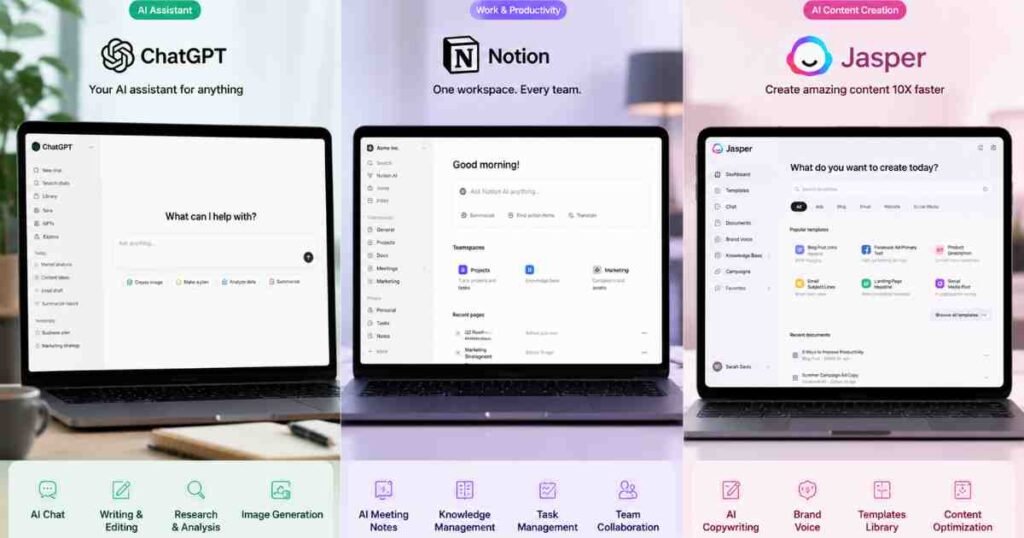
1. ChatGPT (OpenAI): Best All-Round AI Assistant
ChatGPT remains the most versatile tool in any small business stack. Whether you are drafting a client proposal, analysing a competitor’s pricing, summarising a lengthy contract, or generating social media copy in bulk, it handles all of it from a single interface. GPT-4o, the model powering the Plus tier, is noticeably more accurate and context-aware than earlier versions.
Pricing
Free tier available. ChatGPT Plus costs $20 per month (billed monthly). A Team plan is available at $30 per user per month for collaborative workspaces. Pricing verified as of June 2026.
Best For
Business owners who need one tool that covers writing, research, brainstorming, and data analysis without switching between platforms. The free tier is a genuine starting point, not a stripped-down teaser.
Pros and Cons
Pros: Handles an enormous range of tasks from one interface. Strong performance on long-form drafts and structured documents. Integrates with dozens of third-party tools via plugins and the API.
Cons: Outputs need editing before client use. It is a first-draft tool, not a final-draft one. The free tier has usage caps during high-traffic periods.
2. Notion AI: Best for Knowledge Management and Meeting Notes
Notion AI transforms what was already a solid project management tool into something more like an intelligent second brain for your business. I ran it through a realistic six-week workflow at the start of 2026, and the meeting note summarisation feature alone justified the subscription cost. Paste in a transcript, and Notion produces a clean summary with action items and owner assignments in under ten seconds.
For small business owners who already use Notion, the AI add-on is one of the better value upgrades available. For a deeper look at what the platform can do, read our Notion AI Review 2026.
Pricing
Notion AI is an add-on to any Notion plan at $10 per user per month. The base Notion Plus plan is $12 per user per month. Pricing verified as of June 2026.
Best For
Small businesses with multiple team members who need to centralise documentation, meeting notes, and project knowledge in one searchable workspace.
Pros and Cons
Pros: Meeting note summarisation is fast and genuinely useful. Works within existing Notion databases rather than forcing a new workflow. Handles multi-language translation natively.
Cons: Only valuable if you already use or plan to use Notion as your primary workspace. AI responses are occasionally generic on niche business topics.
3. Jasper: Best for Content Marketing at Scale
Jasper is purpose-built for marketing content. Where ChatGPT is a generalist, Jasper is trained on high-performing marketing copy and lets you feed it your brand voice, product details, and tone guidelines so that every piece of content it produces sounds like your business. For small businesses producing regular blog posts, email newsletters, or ad copy, it speeds up the workflow considerably.
I tested Jasper across a two-month content sprint for a small e-commerce client, producing blog posts, product descriptions, and email sequences simultaneously. The brand voice consistency was noticeably stronger than anything I had produced using a general-purpose tool. After the first week of training the Brand Voice feature, the outputs required roughly 30% less editing time per piece. That is a meaningful saving when you are running content at volume.
Pricing
Jasper’s Creator plan starts at $49 per month. The Pro plan is $69 per month for up to five users. There is no permanent free tier, though a trial is available. Pricing verified as of June 2026.
Best For
Small businesses with an active content marketing strategy that need to produce regular, on-brand written content without hiring a full-time writer.
Pros and Cons
Pros: Brand voice training produces noticeably more consistent output than generic tools. Strong templates for ads, emails, product descriptions, and landing pages. SEO mode integrates with Surfer SEO for search-optimised drafts.
Cons: More expensive than general-purpose AI assistants. Outputs still need human editing before publishing.
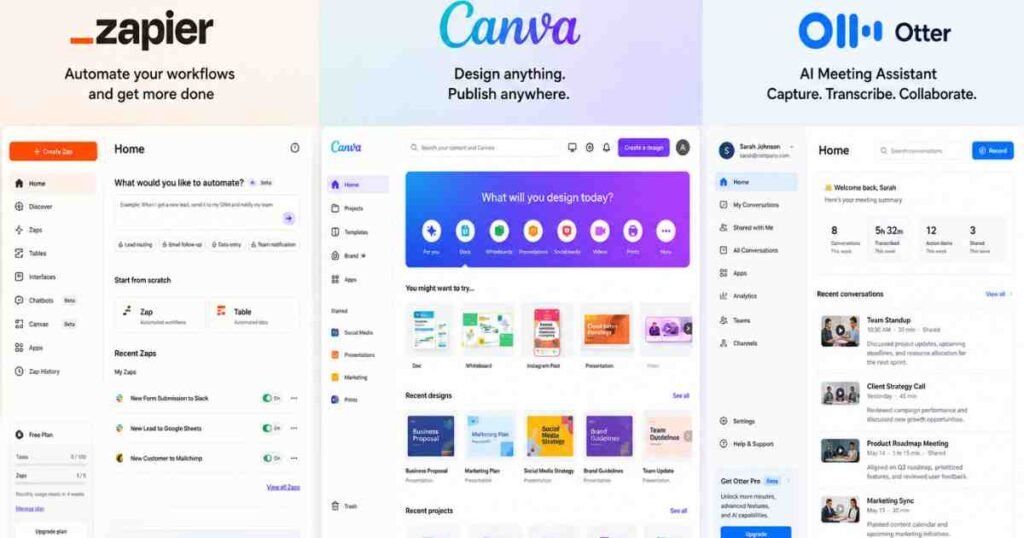
4. Zapier: Best for Workflow Automation Without Code
Zapier connects over 6,000 apps and now uses an AI layer to suggest automation workflows based on the tools you already use. For small businesses drowning in repetitive tasks — moving form submissions into a CRM, sending notifications when invoices are paid, or posting to social media on a schedule — Zapier removes the need to code any of it yourself.
The plain-English automation builder is the most accessible it has ever been. You describe what you want to happen, and Zapier maps the logic. This pairs naturally with the kind of system-building covered in our guide to how to automate your business with AI in 2026.
Pricing
Free plan available (100 tasks per month, two-step workflows). Starter plan at $19.99 per month. Professional plan at $49 per month. Pricing verified as of June 2026.
Best For
Small business owners who want to automate repetitive admin tasks across multiple platforms without any technical background.
Pros and Cons
Pros: Connects a vast range of apps including niche business tools. AI-suggested automations reduce setup time significantly. Free tier is a genuine starting point for simpler workflows.
Cons: Task-based pricing can add up quickly for high-volume workflows. Complex multi-step automations still take time to configure correctly.
5. Canva AI (Magic Studio): Best for Visual Content Without a Designer
Canva’s Magic Studio suite brings AI-powered image generation, background removal, video resizing, and brand consistency tools into one design platform that requires no prior design knowledge. For small businesses that need regular social media graphics, presentation decks, or marketing materials, it removes the need to outsource basic creative work to a freelancer.
According to Canva’s 2025 Creativity Report, businesses using AI-assisted design tools produce visual content up to 40% faster than those relying on traditional design workflows. That tracks with my own experience using Magic Studio for client work.
Pricing
Canva Free plan available with limited Magic Studio access. Canva Pro costs $15 per month per person. Teams plan available from $10 per person per month for groups of five or more. Pricing verified as of June 2026.
Best For
Small businesses that produce regular visual content for social media, email marketing, or client presentations without a dedicated designer on staff.
Pros and Cons
Pros: Magic Studio features are intuitive and produce usable results quickly. Brand Kit keeps logos, fonts, and colours consistent across all designs. Excellent value at the Pro tier given the breadth of features included.
Cons: AI image generation is not as powerful as dedicated tools like Midjourney. Templates can start to feel repetitive at scale.
6. Otter.ai: Best for Meeting Transcription and Action Items
Otter.ai automatically transcribes meetings, identifies speakers, highlights key moments, and produces a summary with action items in real time. For small businesses that run a lot of client calls or internal meetings, it removes the burden of manual note-taking entirely. I have used it across both Zoom and Google Meet calls and found the transcription accuracy to be consistent across both platforms, even in back-to-back sessions.
A Stanford University study on meeting productivity found that employees spend an average of 31 hours per month in unproductive meetings. Otter.ai does not fix the meetings themselves, but it does remove the follow-up admin that compounds the problem.
Pricing
Free plan available (300 minutes transcription per month). Pro plan at $16.99 per month. Business plan at $30 per user per month. Pricing verified as of June 2026.
Best For
Small business owners and consultants who spend significant time in meetings and need reliable transcription and follow-up documentation without manual effort.
Pros and Cons
Pros: Real-time transcription with speaker identification is accurate and useful. Automatic action item extraction saves genuine post-meeting admin time. Integrates directly with Zoom, Google Meet, and Microsoft Teams.
Cons: Accuracy drops on heavy accents or noisy audio environments. The free tier’s monthly limit is low for anyone with a heavy meeting schedule.
7. Grammarly Business: Best for Written Communication Quality
Grammarly Business goes well beyond basic grammar checking. The AI layer rewrites entire paragraphs for tone, clarity, and audience, flags brand inconsistencies, and can be configured to match your company’s style guide. For small businesses where every client-facing email or proposal matters, it acts as a second pair of eyes on every piece of written communication your team sends out.
Pricing
Grammarly Free plan available. Grammarly Premium costs $12 per month (billed annually). Grammarly Business costs $15 per member per month. Pricing verified as of June 2026.
Best For
Small business teams that send a high volume of client communications and want consistent, professional written output without relying on manual proofreading.
Pros and Cons
Pros: Works across email, documents, and browsers without switching context. Tone detection and rewriting suggestions improve communication quality noticeably. Business plan includes a shared style guide for team-wide consistency.
Cons: Some suggestions are overly cautious and need overriding for industry-specific language. Annual billing is required to reach the best monthly rate.
Quick Comparison: Best AI Tools for Small Business 2026
| Tool | Best For | Free Tier | Starting Price |
|---|---|---|---|
| ChatGPT | All-round AI assistant | Yes | $20/month |
| Notion AI | Knowledge management | Yes (base plan) | $10/user/month add-on |
| Jasper | Content marketing | Trial only | $49/month |
| Zapier | Workflow automation | Yes (100 tasks) | $19.99/month |
| Canva AI | Visual content creation | Yes | $15/month |
| Otter.ai | Meeting transcription | Yes (300 min) | $16.99/month |
| Grammarly Business | Written communication | Yes | $12/month (annual) |
Which Should You Choose?

The honest answer is that most small businesses will end up using more than one. The SBE Council data confirms the typical small business now runs a median of five tools across their stack. There is a sensible order to building that stack, though.
Start with ChatGPT if you want one tool that covers the widest range of tasks immediately. Add Zapier once you have identified the repetitive tasks eating your time. Layer in Notion AI if your team manages documentation and projects together. Canva handles visual content for businesses relying on social media or client-facing design. Grammarly Business is the right call for any team sending a high volume of professional written communications.
Jasper and Otter.ai are more specialised. Jasper earns its premium price if content marketing is central to your growth strategy. Otter.ai is a clear win for anyone spending four or more hours per week in meetings.
For a broader look at how these tools fit into a wider growth strategy, read our guide on how to use AI for small business growth. And if customer-facing AI is a priority, our roundup of the best AI tools for customer service 2026 is worth reading alongside this one.
Frequently Asked Questions
What is the best free AI tool for small business?
ChatGPT’s free tier is the strongest starting point for most small businesses. It handles writing, research, summarisation, and brainstorming without a subscription. Canva’s free plan is also genuinely useful for visual content creation. Both are solid options before committing to paid plans.
How much should a small business budget for AI tools?
Most small businesses building a core AI stack spend between $50 and $100 per month across two to four tools. ChatGPT Plus at $20, plus Zapier’s starter plan at $19.99, plus Canva Pro at $15 per month gives you a solid foundation for under $60 monthly. According to the SBE Council’s 2026 survey, the time savings alone typically exceed the subscription cost within the first few weeks of use.
Are AI tools suitable for businesses with no technical background?
Yes. The tools covered here are built specifically for non-technical users. ChatGPT, Canva, and Grammarly require no setup beyond creating an account. Zapier’s plain-English automation builder is the most technical of the group and still requires no coding knowledge. I have onboarded complete beginners onto all seven of these platforms without any technical difficulties.
Can AI tools replace employees in a small business?
Not in any meaningful sense. What AI tools do well is remove the repetitive, time-consuming layer of tasks from existing roles, freeing people up for higher-value work. The SBE Council 2026 survey found that 77% of small business owners are optimistic about AI adoption, with the focus overwhelmingly on productivity gains rather than headcount reduction. Think of these tools as capable assistants, not replacements for human judgement or relationship management.
What is the best AI tool for a one-person small business?
For a solo business owner, ChatGPT Plus covers the most ground for the lowest cost. Pair it with Zapier’s free tier for automation and Canva’s free plan for design, and you have a functional AI stack for zero to $20 per month. That combination covers content, communication, research, and basic automation for a single-person operation.
The businesses pulling ahead in 2026 are not the ones using the most AI tools. They are the ones using the right tools consistently. The SBE Council data shows that 66% of small businesses report real revenue gains from AI adoption — but the gains go to the owners who pick deliberately, learn the tools properly, and build them into their daily workflow rather than experimenting endlessly. Start with one tool from this list that solves your biggest time drain right now. Get value from it. Then build from there.
This article was written by Alex Rivera for AI Genius Optimizer. Some links in this article are affiliate links. If you purchase through them, we may earn a commission at no extra cost to you. We only recommend tools we have personally tested and genuinely rate.